Detectico app overcharged my account beyond the advertised price, how can I get a refund?
8 Views
If the Detectico app charged you more than the price it said it would, the first thing you should do is call their customer service team.
You can email them at [email protected] or use their help centre at https://detectico.zendesk.com/. Give all the important information, like the price that was offered, the amount you were charged, the date of the transaction, and any receipt or reference number.
If Detectico doesn't reply quickly or fix the problem, you might want to dispute the charge with your bank or card company. Describe the situation and back it up with proof, like screenshots of the price that was offered and your payment history.
Most banks have ways to deal with overcharges and can undo transactions that were not authorised or were done wrong.
Keep a close eye on your app purchases and subscriptions to prevent problems like these in the future. Check your bank records often so that you can find any problems right away.
If the problem keeps happening or isn't fixed, we encourage you to offer your opinions or submit your complaints free of charge.
On October 30, 2025, while attempting to purchase a $0.87 trial plan on Detectico’s foreign-language website, an additio...nal $8.38 was charged to my card for an assistant service that I did not intend to buy. In total, two separate charges were made to my account. I immediately contacted the company
I made a purchase for ₺26 on the Detectico website, thinking it was a one-time charge. Just one minute later, I was shoc...ked to see an additional ₺997 taken from my bank account without any warning, confirmation, or explanation. I never authorized this charge. There was no clear notice, no subscripti
I purchased a one-day trial subscription from Detectico, and the price displayed was ₺29. However, when I checked my ban...k statement, I was shocked to see that nearly ₺1200 had been deducted from my account! This is fraudulent and misleading. I did not authorize this charge, and I demand an immediat
I purchased a one-day trial subscription on the Detectico app, which was advertised as 29₺. However, when I checked my b...ank statement, I saw that 997₺ was charged to my card without my consent. This is outrageous and completely misleading. I did not authorize this amount, and I expect a full refund
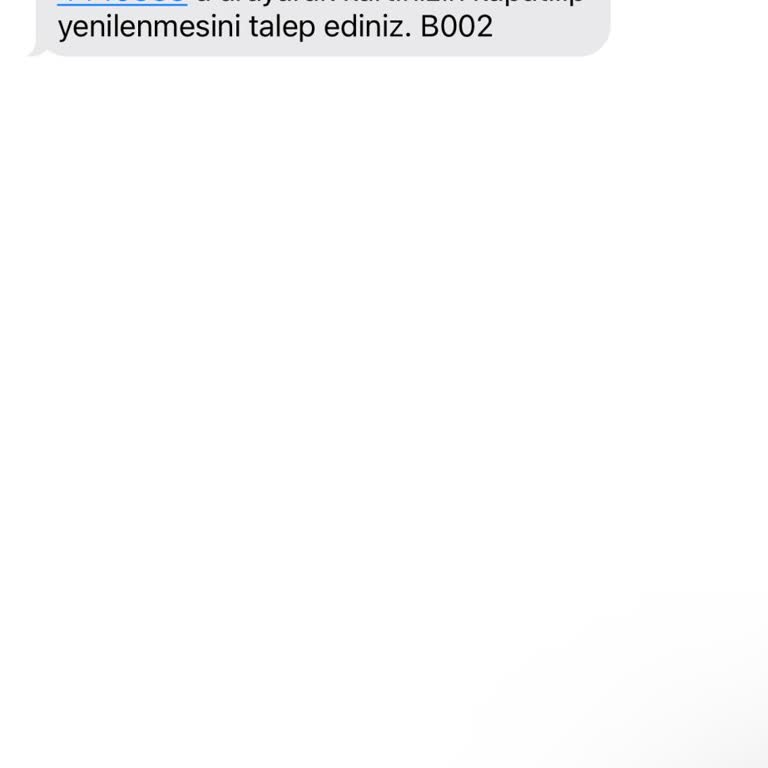
Detectico unauthorizedly withdrew more money than I approved from my account. I did not consent to this additional charg...e, and it was added without my knowledge. This is a serious issue, and I demand an immediate refund. I expect the full amount to be refunded within one business day. If this does
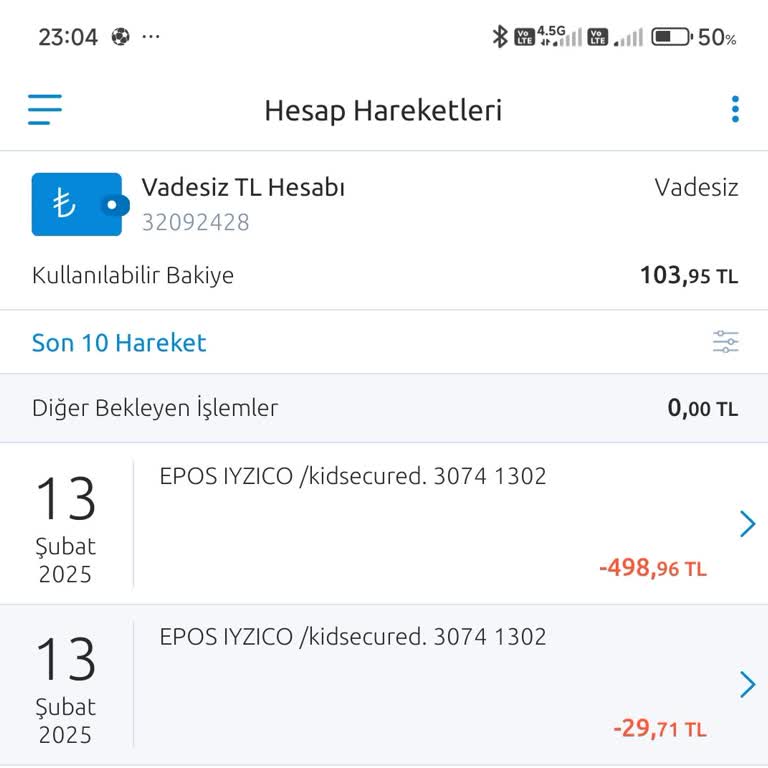
I came across the Detectico site and decided to purchase a one-day trial for 30₺ to test its functionality. However, the... service was completely useless. I even tried it with my own phone number, and it failed to deliver any results. The issue here isn’t the small amount of money but the fact that I
Detectico charged me over ₺1000 under the guise of a membership fee, even though the actual membership cost is only ₺26.... This excessive amount was taken from my account without any prior notice or explanation, which is completely unacceptable. I demand an immediate refund of the overcharged amount.
An unauthorized charge was deducted from my Detectico account. I paid $0.89 for a 1-day trial, but the app charged $34.9...9 from my account. The app was of no use to me. I requested a refund immediately, but the company only offered a 25% refund of the amount I paid.
I registered with Detectico to find someone’s location, but the service did not work as promised. No location or any use...ful information was provided, yet they charged ₺1,660 from my account. This is completely unacceptable, especially since their initial offer displayed a much lower cost. I demand
I downloaded the Detectio app after seeing a charge of ₺26 advertised, but on December 8, 2024, nearly ₺1000 was withdra...wn from my account without my authorization. This is completely unacceptable and feels like a deceptive practice. I demand a full refund of the unauthorized amount immediately. Th
I reached out to Detectico (US) because my father's phone was lost. They stated they would charge ₺26.67 for 24-hour usa...ge and that the subscription must be canceled within 24 hours to avoid additional charges. However, just 6 minutes after the initial payment, they withdrew ₺997.92 from my account.
I made a payment of 26 TL on the Detectico site, but an unauthorized transaction of 498 TL was made. The site does not p...rovide services and only shows my location. There are other victims besides me. If this continues, many people will face unauthorized transactions. I demand a refund of my money. O
I was shocked to discover that the Detectico app had deducted 1000 TL from my bank account without any prior notice or a...uthorization from me. I was billed for an application that serves no purpose to me. I kindly request a refund of my money and will bring my concerns to the attention of the appropr
The Detectico location tracking app charged an extra 997 TL from my account, even though the daily trial period was 27 T...L. Additionally, the app does not work. I demand the immediate refund of the unauthorized 997 TL payment. If not, I will exercise my legal rights and file complaints with CİMER, th
Hello, I want to report an issue regarding the Detectico app, which withdrew an unauthorized amount from my account with...out my knowledge. A payment of over ₺900 was deducted without any code or notification sent to me. I kindly request a prompt and solution-oriented response regarding this matter, a
I want to report an unauthorized charge on the Detectico app. I purchased a 1-day trial for ₺26.67, but without any conf...irmation, ₺798.33 was withdrawn from my account. If my money is not refunded in full, I will have no choice but to pursue legal action. I kindly request an immediate resolution to
I want to report an unauthorized charge on the Detectico app. I purchased a 1-day trial for ₺27.62, but without any conf...irmation, ₺1,155 was withdrawn from my account. If my money is not refunded in full, I will have no choice but to pursue legal action. I kindly request an immediate resolution to t
I'm writing to express my deep concern and frustration regarding an unauthorized transaction made by the Detectico appli...cation. Without my knowledge or consent, the app withdrew ₺1117 from my account. This charge was made without any verification code or informational message, which is highly concer
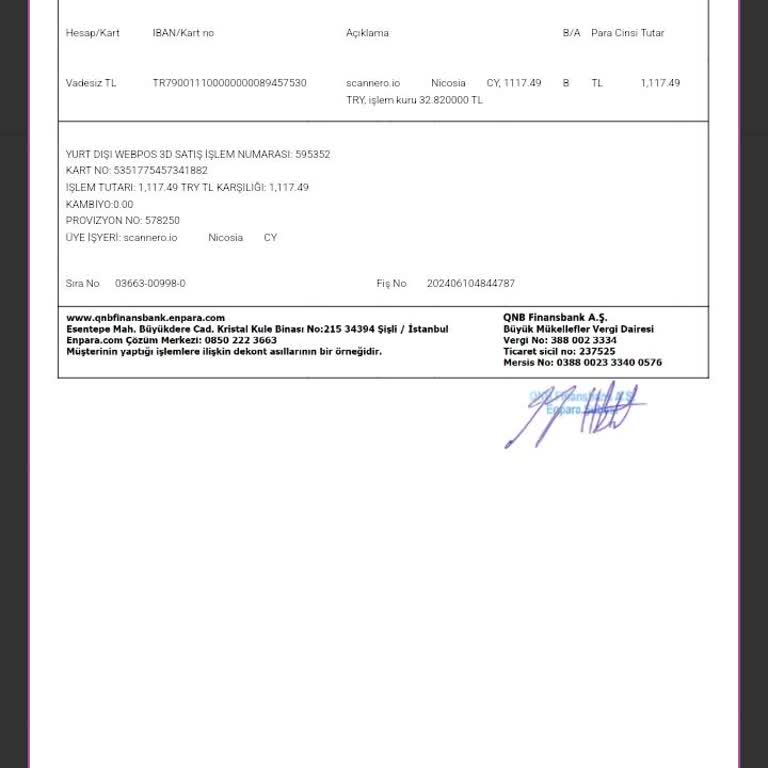
I'm writing to express my deep concern and frustration regarding unexpected charges from the Detectico application. Whil...e the app displayed a fee of ₺27, I was shocked to discover that my account was charged ₺500, followed by an additional undisclosed amount. This discrepancy between the advertised
I'm writing to express my frustration and concern regarding my experience with the Detectico app. I subscribed to their ...service, but upon realizing it didn't meet my needs, I decided to cancel. However, I've encountered several issues that have left me feeling dissatisfied and worried. Firstly, I wa
The Detectico app withdrew more money from my account without my knowledge. While the app showed a fee of ₺27, it first ...withdrew ₺997 and then more money from my account. I kindly request a solution-oriented response and a complete refund as soon as possible. I expect a resolution for this unaccepta
Hello Detectico Support, I recently attempted to purchase the 25 TL trial version of your service, but instead, 500 TL ...was deducted from my account. To make matters worse, the application does not work as expected. I am requesting an immediate refund of the 500 TL charged. Additionally, I have can
On the 21st of April, 2024, I utilized the Detectico app to conduct a transaction amounting to ₺26; nonetheless, a sum o...f ₺997 was debited from my account. I am writing to petition for a refund of my money. In such case, I shall move forward with legal action. Despite the deduction, there has been n