MacBook Air M2 Update 26.4.1 Causes PDF Glitches and File Naming Bug

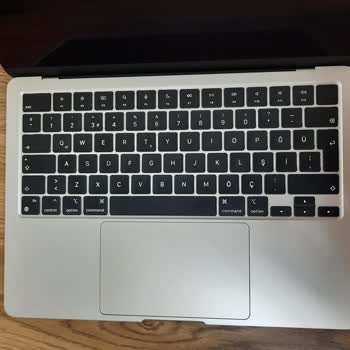
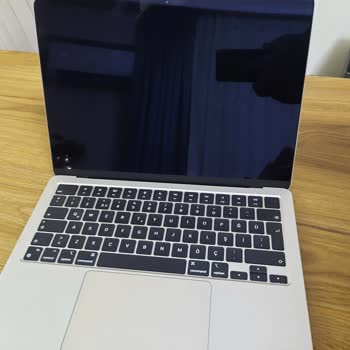
I use an Apple MacBook Air M2 (2022), and after installing the latest 26.4.1 (25e253) update about one month ago, I started experiencing serious software issues that prevent me from working efficiently. Following this update, many programs on my computer stopped working properly, and I have been unable to maintain my normal workflow. One issue is that when I type a file name and press the spacebar after entering a period, the text I just typed gets deleted. While this is frustrating, the most critical problem involves PDF files.
I am unable to properly take notes or highlight tables in PDFs, and I also cannot correctly view notes or highlights added by others on different devices. There are constant glitches—tables become distorted, annotations fail, and file collaboration is significantly disrupted. For the past two weeks, I have been in frequent contact with Apple Support to resolve this issue. Each time, I speak with a different representative, multiple troubleshooting steps are attempted, and calls last for hours, yet no permanent solution has been provided. All device settings have been checked thoroughly, screen recordings have been submitted, and various diagnostic steps have been completed. Despite these efforts, the problem continues.
During these interactions, I was informed that a complaint about this issue has already been filed, indicating that it is a known problem, yet it remains unresolved. The case IDs associated with my issue are 102864093839, 102868354279, and 102856178357. Experiencing such a fundamental problem for an extended period, especially one that directly impacts my work, and having to spend hours on support calls without a resolution, is unacceptable for a device at this price point. I expect Apple to fix this software bug as soon as possible and fully resolve the PDF and file naming issues. If a fix cannot be delivered within a reasonable timeframe, I request a replacement Mac computer to compensate for the disruption and productivity loss I have experienced.
After I submitted my complaint, I emailed Apple but received no response. The issue is still ongoing, and no extra Mac was provided. Although the customer representatives were polite, the brand fell far short of my expectations; they offered no solution nor tried to compensate for their mistakes.
Apple güncellemesi sonrası MacBook Air M2'de dosya adı yazarken boşluk tuşuna bastığımda metin siliniyor, PDF not alma ve vurgulama tamamen çalışmıyor, tablolar bozuluyor ve iş birliği aksıyor. İki haftadır farklı temsilcilerle saatlerce görüşmeler yaptım, çeşitli tanı adımları uygulandı ama kalıcı bir çözüm bulunamadı. Şikayetimin bilindiği söylenmesine rağmen hâlâ bir sonuç elde edemedim ve telafi süreci de başlatılmadı.