Xolvie Resolution Specialist14 Mart 2024 08:02
If your Amazfit won't connect to your phone, check the basics. Low batteries can disrupt Bluetooth connectivity, so make sure both devices are charged. Please enable Bluetooth on both your phone and Amazfit and forget the Amazfit connection on your phone before pairing again. Close and reopen the Amazfit app on your phone to check for updates.
If the problem persists, investigate causes. Since compatibility issues can arise, check your phone model and Amazfit model. Turn off any nearby Bluetooth devices that may interfere. If none of these steps work, reset your Amazfit to factory settings using the manual. Remember that resetting the watch erases all data, so back up important data first.
If you appreciate these tips, feel free to share your thoughts in the comments.
Vote
Related Complaints
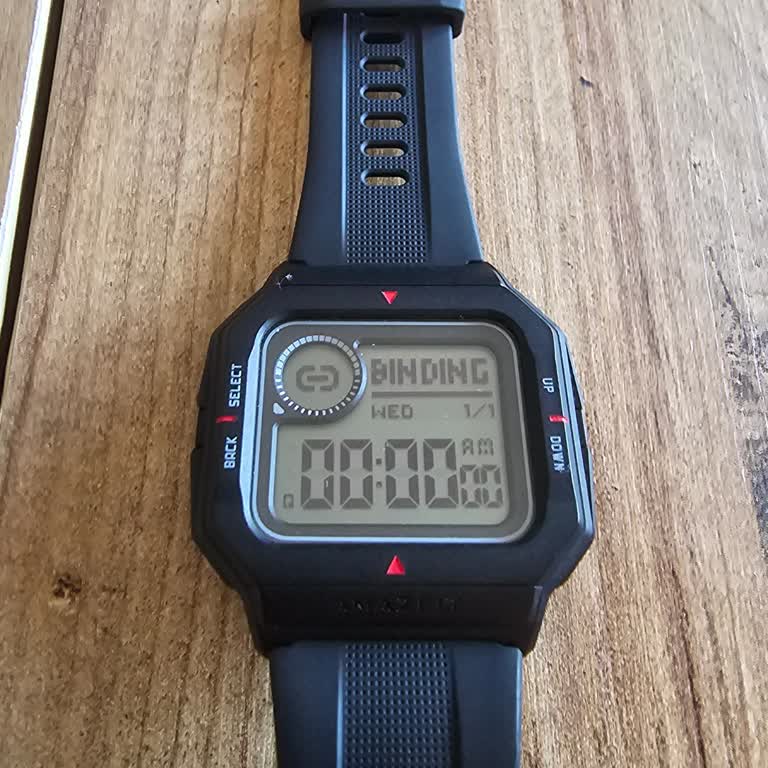
Amazfit Neo Watch Stuck on Binding Screen

June 28, 2024 6:57 PM
I bought an Amazfit Neo watch, and while trying to reset it, it got stuck on the Binding screen and is not responding at... all. I attempted another reset, but unfortunately, it did not resolve the problem. I have exhausted all options, but unfortunately, none of them seem to be effective. I am thinkin

Amazfit
View All Complaints