Xolvie Resolution Specialist24 Ekim 2025 11:19
If the Wix Editor crashes or shows error codes when you try to edit your site, first log out, close your browser, then sign in again and open the Editor.
If this doesn’t work, clear your browser’s cache and cookies, disable browser add-ons/extensions (especially those related to blocking or security), and try opening the Editor in a different supported browser.
Check that your internet connection is stable and your browser is up to date—older versions or unstable networks can trigger Editor errors like “Error 10104”.
If you’ve added custom code snippets or third-party widgets, temporarily disable them via Dashboard → Settings → Custom Code and reload the Editor; conflicts from custom code often cause unexpected crashes.
If you’re struggling with a similar issue, you’re not alone. Share your concerns or file a complaint on Xolvie to connect with others and find support.
Vote
Related Complaints
Wix.com Poor Customer Service And Refund Policy

May 11, 2024 3:49 PM
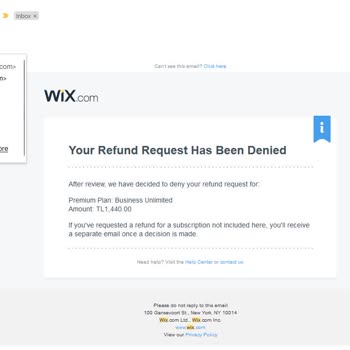
I subscribed to the Wix Premium Yearly Plan 183 days ago, intending to create and maintain my website. Unfortunately, I'...ve encountered persistent issues editing my site, rendering it unusable for me. Consequently, I sought to cancel my remaining membership and receive a partial refund to reflect the
Wix.com Needs To Catch Up With The Times

April 5, 2024 8:19 AM
I believe that Wix's features and optimization are inadequate. No matter what I do, the site speed is incredibly slow, a...nd whenever I add a new element, the site practically freezes. The desired filtering feature in the product sales section also doesn't work properly. For example, when you select a

Wix.com
View All Complaints