Xolvie Resolution Specialist14 Nisan 2026 12:41
If you paid for episodes on ReelShort but can’t access them, it’s usually a sync, account, or app issue—not a payment failure.
Here’s how to fix it step by step,
Check your account first;
• Make sure you’re logged into the correct account
– Many issues happen when using a different email/Google/Apple login
• Verify purchase:
– Check App Store / Google Play receipt
– Confirm the payment actually went through
• Important:
– Purchases are tied to one account only
Refresh your purchase;
• Try:
– Log out → log back in
– Restart the app
• Why:
– Purchases sometimes don’t sync immediately
Fix app glitches;
• Update the app to latest version
• Clear cache (Android) or reinstall app
• These fix:
– Missing coins
– Locked episodes after payment
Check connection;
• Ensure:
– Stable internet
If the issue persists, share your experience and consider filing a complaint on Xolvie to seek a resolution.
Vote
Related Complaints
ReelShort Weekly Subscription Not Working After $11.99 Payment

September 1 9:54 PM
I live in the United States and recently purchased a weekly package on Reelshort. On 8/31, $11.99 was charged to my card... for this weekly subscription. Despite this payment, I am not able to watch a full movie or series continuously. After I finish an episode and want to move to the next one, the app
ReelShort Facebook In-app Subscription Not Worked Out

August 29 12:13 AM
On August 29, 2026, I tried to purchase the Weekly VIP subscription in ReelShort using my Facebook in‑app account. The p...ayment of 312 Philippine pesos was successfully deducted from my GoTyme Bank debit card, but when I checked my ReelShort account, the Weekly VIP subscription was not activated and
ReelShort Apple Pay Purchase Not Unlocked

August 20 9:37 AM
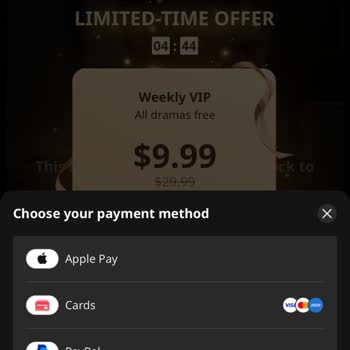
I recently paid for access on Reelshort via Apple Pay on my phone after seeing an ad on Instagram. I started watching a ...movie and only managed to watch about seven minutes before I had to stop and come back later. Because the purchase was through an Instagram ad and the title was not clearly shown,

Need Refund From ReelShort

August 14 3:20 AM
I purchased a Reelshort “cup weekly” subscription today through an ad on Facebook, paying 19.99 USD via Apple Pay. Altho...ugh the amount appears on my bank account, my Reelshort account does not show any active subscription under purchases. When I check inside the Reelshort app, there is no subscripti

ReelShort
View All Complaints