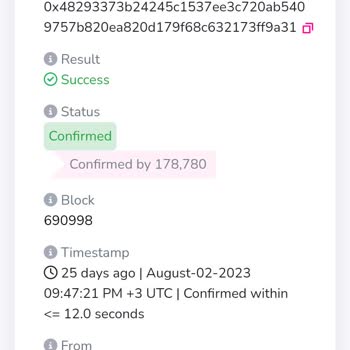
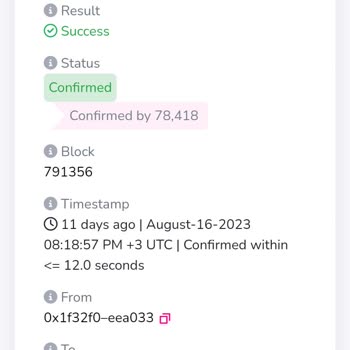
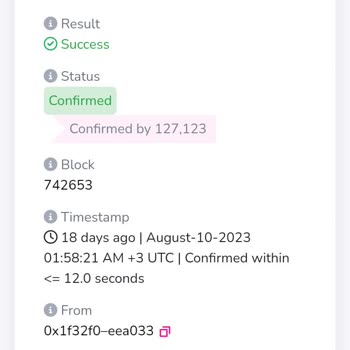
MetaMask failed to process my withdrawal, leaving my funds stuck; how can I resolve this?
42 Views
A failed withdrawal on MetaMask can be worrying, but there are actions you can do to resolve the issue.
First, make sure your MetaMask extension or app is up to current, as obsolete software can lead to transaction issues.
Next, make sure your Ethereum wallet has enough coins to cover gas fees, which are required to perform blockchain transactions.
If the problem persists, try increasing the limit and price in your transaction settings to speed up processing.
Also, verify the Ethereum network's status; during periods of high congestion, transactions may be delayed or fail. Platforms such as Etherscan allow you to check network status.
For additional assistance, please see MetaMask's official support pages or contact their support staff directly.
They can offer specialized advice to help you handle your withdrawal issue. Visit the MetaMask Support Center at https://support.metamask.io or contact them through their official methods for assistance.
If the problem remains unresolved, consider filing a complaint on Xolvie to raise awareness about the issue and inform others.
I experienced a serious problem with the Metamask mobile app that caused me to lose funds after a failed transaction. On... December 29, Monday at around 6:45 pm, I attempted a transaction on the Ethereum network, but the transaction failed and my funds did not reach their destination. Despite this, th
On October 1, at around 03:10 a.m., I attempted to transfer 1,156 USDT from my MetaMask wallet (0xA95dfCDfcA73777a15**) ...to my Binance Global account using the BEP20 network. However, the transaction failed, and afterward, my USDT balance disappeared — it now shows zero both in my MetaMask wallet and
I’m unable to withdraw the balance from my MetaMask account. The balance is visible, but the transfer doesn’t go through.... I would appreciate your assistance with this issue — could you please advise me on what I need to do? I need urgent help. Thank you for support.
I’ve been actively using my MetaMask wallet for a long time, but for the past three months, I’ve been unable to complete... any transactions involving TRY. Whether I attempt to deposit, withdraw, or trade using Turkish Lira, the transactions consistently fail or return unclear system errors. I've repea
I’m extremely frustrated and feel completely trapped by what’s happening with my MetaMask account. I have funds locked i...n my wallet, and no matter what I do, I can’t access them. Every time I try to withdraw, I’m asked to pay more money for so-called “transfer fees” or “release charges.” I’ve alread
I sent 40.199 CORE to my MetaMask wallet address 0xADB789cDCf1D90aeD3b1c64fEd54991570A44*** from another wallet, Roqqu, ...with the address 0x0c2444a26790a07cf85e5c42498e9c29235ca*** over an hour ago, but it still hasn’t reflected in my MetaMask wallet. I just realized that the transaction process may
I’ve been trying to get help from MetaMask for a full week now, and I’m getting nowhere. I sent USDT from my Binance TR ...account to my MetaMask wallet, but the funds never showed up. I’ve double-checked everything—wallet address, network, transaction ID—and everything seems correct on my end. Still,
I am facing significant difficulties transferring my ETHFI tokens from Metamask's BNB network to my Binance TR account, ...as Binance does not support this token on the BNB network. I understand that I need to change the token’s network to proceed, but the process is overly complicated. The only guidan
I approved a transaction for Goat-based tokens on MetaMask, but the coins never appeared in my account. When I contacted... customer support, they claimed it was a "misleading transaction," which is entirely untrue. The issue arose after I copied the contract address directly from CoinMarketCap and ve
Hello, I am experiencing an issue with staking transactions on the Harmony network through Metamask. After completing a ...staking transaction, I am unable to withdraw the staked amount as the withdrawal transactions fail. Unfortunately, my budget and transaction history indicate that everything was su
I'm having trouble transferring 150k USDT from my Metamask wallet to Binance TR or Binance Global. I received an activat...ion request asking me to send $15k using a crypto platform account in my name. On Friday, I couldn't send the 15k USDT due to network congestion, and now I'm wondering if sending i

I made two deposits of $1,750 each into my Metamask wallet, resulting in a total of $3,500. Unfortunately, the funds are... not reflecting in my balance. I can see the transactions on BscScan, but unfortunately, I am unable to withdraw the funds from there. I require help in obtaining a refund for the
I installed the Metamask cold wallet app and purchased USDT through the Binance system, which I then loaded into my Meta...mask wallet. However, every time I try to withdraw funds, the system demands additional payments. Initially, I was asked for a payment for account verification, which I made. Then,
Hey, I just saw that Moonseer got taken off the list. I attempted to withdraw from Metamask, but it displayed the messag...e 'No conversion rate found.' I'm completely stumped on what to do next. Can you assist me in adding funds to my account? I'm having trouble finding a place to get live support, an
I've been having a really tough time trying to withdraw dollars from the Metamask Sepolia network for the past ten days!... I'm having trouble accessing the funds in my account and I'm unable to withdraw them. I need help right away. Why isn't anyone responding or offering assistance? It's happened bef
Yesterday I sent Ethereum to my Metamask Wallet. Did not come. Even though it took a day, my money did not arrive. Previ...ously, money was transferred to a separate metamask budget, my account was stolen and they transferred my money. I sent ETH to the new budget yesterday, but it did not arrive. Meta
I'm having serious problems with my account, specifically the unauthorized transfer of all of my FTN balances to gamblin...g websites. My funds have mysteriously vanished, leaving me in distress and in need of immediate assistance. I strongly urge that my FTN balance be restored and that this matter be