Udemy auto-renewed my subscription without my consent, how can I cancel and get my money back?
14 Views
First, log into your Udemy account and navigate to the "Subscriptions" section under your profile settings.
Here, you can review your active subscriptions and cancel any that you no longer wish to maintain by clicking "Cancel subscription."
Regarding refunds, Udemy's policy states that subscription plans purchased through their website do not offer a 30-day satisfaction guarantee, and refunds or partial refunds are generally not available unless required by applicable law.
However, depending on your location, you may be entitled to a refund within a specific period. For instance, certain countries have laws that mandate refund eligibility within a set timeframe.
To pursue a refund, contact Udemy Support directly through their Help Center at support.udemy.com. Provide them with your subscription details and explain the situation.
If your subscription was initiated via the iOS or Android mobile apps, note that refunds are processed through Apple or Google Play, respectively, and you'll need to contact their support services for assistance.
Facing a challenge like this? Let your story be heard. Share your experience or file a complaint on Xolvie to seek a resolution.
Some of the instructors offering SPK (Capital Markets Board) courses on Udemy are using very outdated materials. When I ...requested a refund because of this, unfortunately, I didn’t receive a positive response. It’s very misleading that lessons from as far back as 2016 are still uploaded and being sol
I purchased the Systematic German Course from Scratch on Udemy for ₺350 using my credit card. In the course’s advertisem...ent and at the time of purchase, it was clearly stated that if I was not satisfied, I could request a refund within 30 days. However, after 10 days, despite having watched only abo
On September 12, 2025, I accidentally purchased a course on Udemy titled “Windows Server and System Administration Train...ing 2025 From Scratch” using my credit card. The purchase was made completely by mistake, and I immediately canceled the course right after the transaction. However, I noticed that
I can’t proceed with my Udemy refund request because of the viewing history, even though I only watched 7% of the course... over 3–4 days. I didn’t find the content useful or relevant to what was promised in the course description. Isn’t this ridiculous? I want my money back. I even contacted customer
I purchased a Udemy course that was supposed to cost ₺549, but instead, I was charged €79! When I requested a refund, th...ey refunded it as Udemy credit, which I never agreed to. I want my money returned to my original payment method, not as credit I didn’t ask for. To make things worse, there’s no p
I bought a course from Udemy, but it turned out to be too difficult for me, so I asked for a refund. But I got this repl...y: "Sorry, but we can't give you a refund because you've already accessed the course materials, including the code snippets." I came to the realization that the course wasn't a goo
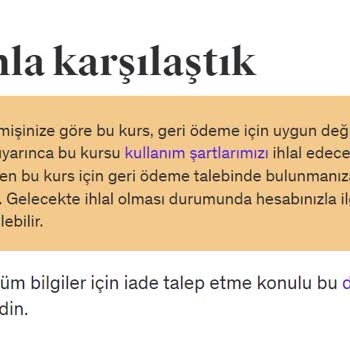
On the 21th of November, I have purchased an Excel Class from Udemy but I have changed my mind on the first half an hour.... I have contacted them for repayment but not they just keep sending me these meaningless, only aiming for customer exaustion, they're keep changing the repayment time. Purchasing
I was dissatisfied with my course purchase on the UDEMY site. Upon returning it, my refund wasn't transferred to my bank... account; instead, it was credited to my Udemy account. The claimed 30-day refund process seems deceptive, encouraging users to keep funds within their platform rather than providi
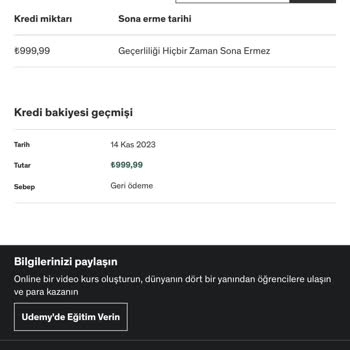
Udemy has received payment for an online course that I am enrolled in. In spite of the fact that a 30-day refund policy ...was advertised, the refund was issued as a credit rather than being returned to my credit card, which was an inconvenience for users. Be aware that I will file an official complain
On 12/09, I purchased five courses, but on 27/09, I decided to cancel three of them. The refund process was supposed to ...take 5-10 days, but I still haven't received my money. Udemy introduced "Udemy credits," and I see a credit worth 180 TL there, but I'm not sure how to use it. I'm not looking for
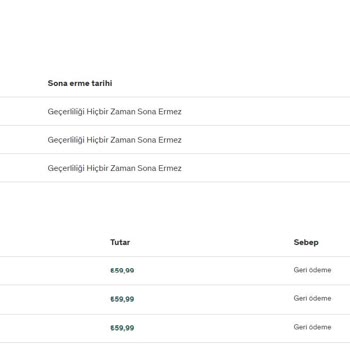
Last week I noticed a charge from Udemy on my credit card, except the problem is that I never made that purchase in the ...first place! It almost seems like they took the payment without my knowledge – and there's no way to get into contact with them on their site either, let alone a contact person. If