Xolvie Resolution Specialist19 Aralık 2024 13:26
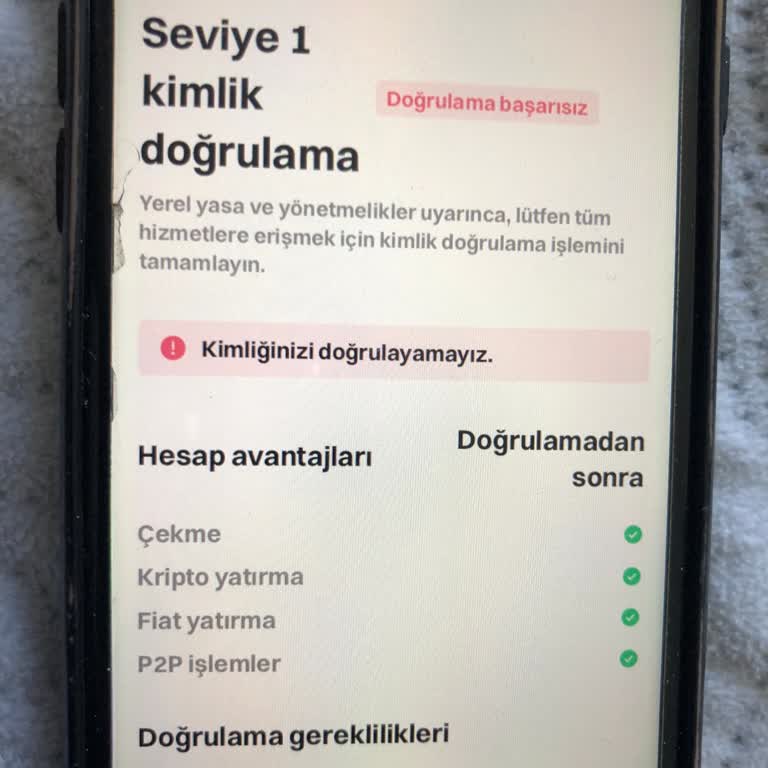
If Bitget did not accept your identity verification (KYC), it is important to know the most common reasons and how to fix them.
Bitget's rules say that common problems include wrong or missing personal information, images of documents that aren't clear or are damaged, using fake or expired documents, and problems between your ID and face recognition.
To fix this, make sure that all of your personal information exactly matches what's on your official papers. Upload colour, clear pictures of legal IDs like a driver's license, passport, or national ID card that haven't been changed or obstructed in any way.
Furthermore, during the facial recognition process, make sure that your ID picture and your face are a perfect match.
If you've tried to verify your account more than once and failed, keep in mind that Bitget lets you try five times in 24 hours. You'll have to wait 24 hours before you can try again after hitting this limit.
If you're still having problems or think something went wrong, consider leaving a comment to let us know.
Vote
Related Complaints
I Cannot Recreate My Bitget Account with IBAN Due to Age Verification Error

May 17, 2025 11:55 PM
Hello, I created a Bitget account on August 29, 2024. Following a legally proven and convicted scam, I made the mistake ...of deleting my account. I was contacted by an agent from a recovery company, who informed me that I could recover my funds by creating a new Bitget account with an IBAN to receive
Bitget Rejects My ID Verification, Shows Unknown Email Linked to My Account

November 30, 2024 9:33 PM
I opened an account on Bitget but cannot complete the identity verification process. Despite submitting my driver’s lice...nse and video recording as requested, the system claims I have already verified my identity using an unfamiliar email address. This is impossible since I have never created a Bitge
Bitget Wallet Identity Verification Not Approved, Unable to Invest Despite Multiple Attempts

September 3, 2024 2:27 PM
I registered on both the Bitget Wallet and Bitget app, but my identity verification has not been approved, preventing me... from making any investments. I’ve tried countless times to resolve this issue by emailing support and submitting my ID and driver’s license multiple times. I’ve even attempted the

Bitget
View All Complaints