Xolvie Resolution Specialist4 Ekim 2023 12:58
The rate at which a device's battery loses its charge or depletes its energy over time is referred to as battery drain. Battery drain refers to how quickly a device's battery discharges or runs out of power while in use or even when idle in the context of electronic devices such as smartphones, tablets, laptops, and wearables (such as smartwatches).
There are several ways to fix your Apple Watch's rapid battery drain, especially after updating to the latest WatchOS:
• Turn off and on your Apple Watch to power cycle it. Unexpected battery drain is often fixed by this simple step.
• Reset Sync Data: If the problem persists, open the Watch app on your paired iPhone, select General, and reset. Select Reset Sync Data. No notification will be sent when this process finishes. If data corruption prevents contact and calendar sync, this step can help. It resets the watch data and syncs.
• If the previous steps don't work, try unpairing and pairing your Apple Watch with your iPhone. Your settings and watch faces are usually backed up when unpaired. When repairing the watch, you can restore them. Although more complicated, this step can help with persistent battery drain.
• Be Patient with WatchOS Updates: After an update, the latest WatchOS may perform background tasks and optimizations. Normalizing your watch's battery consumption may take several days. During this time, your watch may drain its battery quickly, but it should return to normal usage.
Vote
Related Complaints
My Apple Watch Suddenly Stopped Connecting to My Phone

July 5, 2025 11:13 AM
My Apple Watch suddenly stopped connecting to my phone, and the software wouldn’t update. I took it to an authorized App...le service center, where they diagnosed it as a software error. They initially informed me that a free manual update would be performed to fix the issue. However, I was later conta
My Apple Watch Ultra 1 Took in Water After a 10-Min Swim

May 22, 2025 9:31 PM
I purchased the Apple Watch Ultra 1 specifically because it was marketed as a device designed for water activities, incl...uding diving and swimming. Despite not being an experienced swimmer, I wore the watch during a brief swim—no more than 10 minutes in a standard pool. To my shock, the watch took i
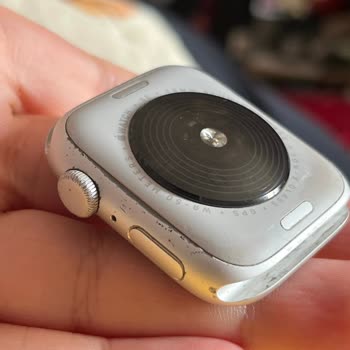
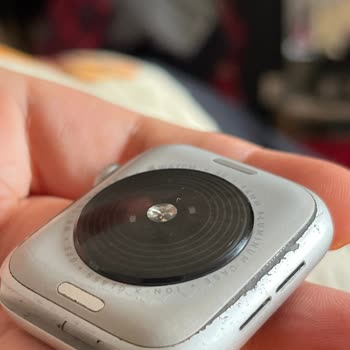
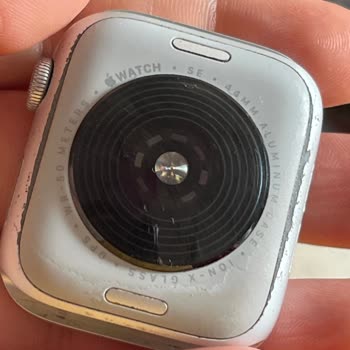
Apple Watch SE Developed Deformations but Apple Refuses to Take Responsibility

February 22, 2025 1:07 PM
I purchased my Apple Watch SE from a Vodafone store, and within 1 to 2 months, I noticed deformations on the back of the... watch. I have never exposed it to water and even take it off when washing my hands. I took it to Marmara Park Troya, and they told me that Apple does not offer any support for phy
Apple Watch SE Burned My Wrist, No Response from Apple After a Week

September 22, 2024 10:31 AM
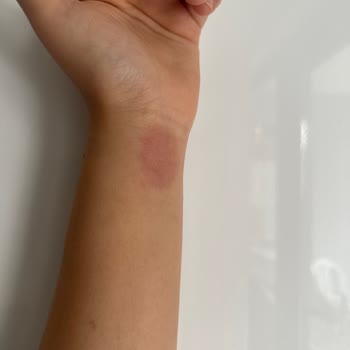
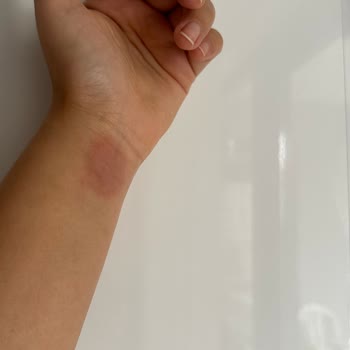
I’ve been using my Apple Watch SE for a long time without any issues, but recently, the magnetic part of the watch burne...d my wrist. It’s been a week, and my wrist is still red, swollen, and irritated, with no sign of improvement. I started feeling a burning and itching sensation while wearing it, an
Unable to Download WhatsApp on My New Apple Watch SE, Touch ID Not Working

September 20, 2024 10:15 PM
I just bought an Apple Watch SE today, but I can’t download WhatsApp from the App Store. When I try, the password input ...field doesn’t respond at all, and I’m unable to proceed. This is incredibly frustrating, as I expected a seamless experience with a new Apple device. I’m reaching out for a solutio
A Never-Ending Replacement Crisis with the Apple Watch Series 7

December 31, 2023 4:44 AM
I have an Apple Watch Series 7, and I've had it repaired six times by Gürgençler service in Konya because of the same pr...oblem. The product has been replaced with a new one five times, but the same problem keeps happening. I sent a message to Apple customer service pointing out the ongoing issue with
My Apple Watch 7 Is Peeling After Just 10 Months

September 22, 2023 8:33 AM
I've only had the Apple Watch 7 for 10 months, and it's already starting to peel. If you ask me why I chose this product..., I will tell you that the seller claimed it had the strongest casing. When I contacted the authorized service, however, they informed me that such issues are not covered by the wa
Apple Watch SE Is Not Waterproof

September 10, 2023 12:12 PM
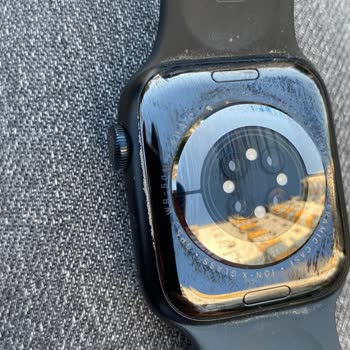
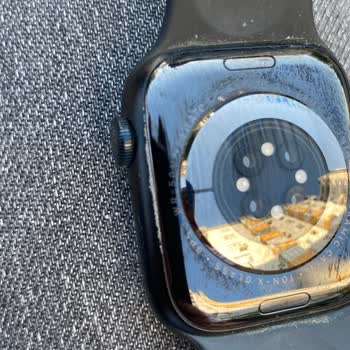
I must admit, my experience with the Apple Watch SE 2020 has been a real disappointment. Despite having a water-resistan...ce rating of up to 50 meters, this watch failed miserably when it came into contact with water at only a 1-meter depth. To make matters worse, Apple appears to be avoiding any resp
Apple Watch 7 Series Warranty Woes

August 22, 2023 5:29 PM
I discovered that my Apple Watch 7 Series couldn't perform ECG readings, so I reached out to Apple support. On May 29, 2...023, I left it at Zentech Bursa and was informed that I could collect it in 2 days. I received it before it was sent to Apple's repair center with service code SRV228490 from Zente
Apple Watch Series 6 Malfunction, Denied Warranty Service

August 20, 2023 2:55 PM
Hello, We used the apple watch series 6 44mm model that we bought from MediaMarkt for about 2 years. Wearing it pretty s...parsely. At the end of 2 years, there was a serious malfunction. The watch does not turn on, when plugged into the charger, the thermometer sign appears and it definitely did not
Irritating Apple Watch 7 Nike 41 Band

June 27, 2023 12:25 PM
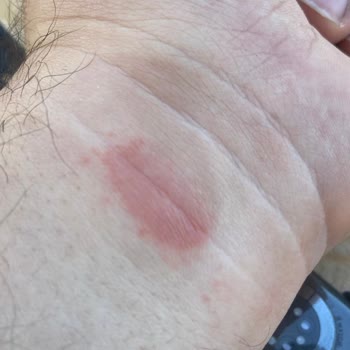
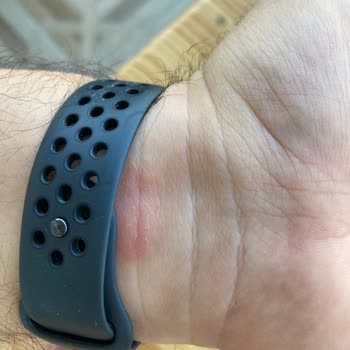
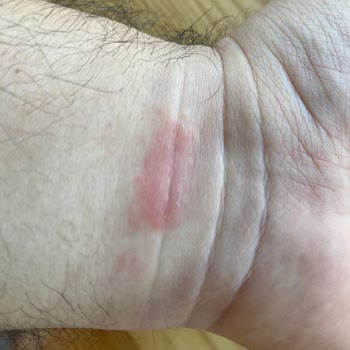
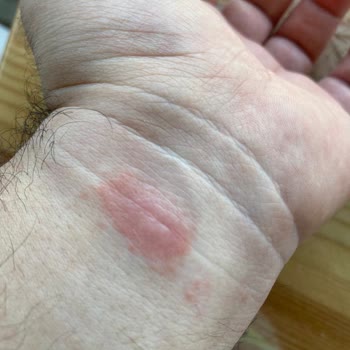
Six months ago, I purchased the Apple Watch 7 Nike 41 model. I noticed that the metal connection of the cord on my arm c...aused irritation and wounding. I didn't mind at first, but since it's now happening on a regular basis, I called Apple Customer Service and explained the situation. When they asked
Apple Watch Series 3 Stuck with Persistent Apple Logo

June 15, 2023 10:54 PM
I bought a Series 3 Apple Watch in April 2022, but the Apple logo has been stuck on the screen for the past week. For te...ch support, the Apple support team told me to go to the Gürgencler Marina service center in Mersin. When I went to the service center, they wouldn't even turn the watch on. I told
Apple Support is Unhelpful for My iPhone Watch 3 Defect

April 20, 2023 12:21 PM
In June 2022, I bought an iPhone Watch 3, but after only a week, the strap started to turn green and there were bumps on... the bottom of the watch. Even though I've tried many times, I haven't been able to make an appointment for a repair because other Turkish customers are having the same problems. A

Apple
View All Complaints