I'm having trouble finding the option to delete my Tinder account permanently. Where can I locate it in the app?
39 Views
The steps below can help you locate the option to permanently delete your Tinder account if you're having trouble finding it:
Using your login information, access the Tinder app or Tinder.com. In most apps, the profile icon is found in the upper-left or upper-right corner. Tap on it.
• Navigate to Settings from there.
• Navigate to the bottom of the page and select "Delete Account."
• When prompted, tap "Delete Account" and confirm the deletion.
As an alternative, you can remove your account using the Manage My Account tool: Visit Tinder's website, select the Manage My Account tool, and enter your login information. Click "Delete Account." When asked, confirm the deletion.
Keep in mind that you will lose access to all matches, messages, and other related data if you permanently delete your account.
You can choose to hide your profile on Tinder if you would rather take a brief vacation from the app without completely canceling your account. With this option, you can see and communicate with your matches even after you've been temporarily removed from the recommendation pool. Follow the instructions in the Settings menu to hide your profile. You can also find the option to enable or disable discovery.
By collaborating and exchanging information, we strengthen our collective ability to identify and address potential threats. Please share your story in the comments or file a complaint.
I have been unable to properly use my Tinder account since September 8, 2026. The app asked me to complete identity veri...fication using a selfie, and after I completed the process, my account was placed under review. Although the review notification later disappeared from the app, my account never re
I downloaded Tinder from the App Store about two to three weeks ago, and from the very first day I opened my account, no... profile cards have appeared at all. I can't use the app normally — I simply can't see anyone. On top of that, whenever I try to delete my account, I keep getting error prompts and
On June 11, 2026, at 10:09 PM, I received an SMS from Tinder containing a verification and login code — despite the fact... that I have no Tinder account and never requested one. Receiving a code like this on my number without ever signing up for or using the app is alarming to me. Two days before this
Every time I try to delete my account on Tinder, I keep getting an "account could not be deleted" error message. I tried... multiple times yesterday and still cannot close my account — the same error keeps coming up every time. I also have an active Tinder Plus subscription, and I want both my Tinder a
I want to permanently delete my Tinder account on my Android phone, but despite following all the steps in the app, my a...ccount will not be deleted. Every time I attempt to complete the account deletion process, I receive an error message that says “Account could not be deleted,” and the process does
For about a week now, I have been experiencing serious issues with the Tinder app on my iPhone. The app continuously giv...es errors both with matches and account-related actions. I am not receiving any matches at all, and when I try to create a new account, I encounter the same problems. My Gold subs
For the past two weeks, I have been experiencing major issues with my Tinder Gold subscription on my iPhone. Although I ...purchased the membership via the App Store using my card, I cannot properly use my account. I am unable to send messages, read incoming messages, or get new matches. On top of tha
I am experiencing a serious issue with my Tinder Gold subscription. For about two weeks, I have been unable to either de...lete my account or use it properly. I cannot receive likes, send likes, or perform any actions — my account is completely frozen. I tried deleting and reinstalling the app, but th
I’m filing this complaint because Tinder continues to attempt charges from my credit card even though I’ve already delet...ed my account. I do not have an active subscription, yet they keep trying to pull payments automatically, and the only reason they haven’t succeeded is that there isn’t enough mone
I’ve been trying to delete my Tinder account for days, but the app keeps giving me an error every time I attempt it. No ...matter how many times I try, the process doesn’t complete. I’m also a Gold subscriber, and even basic features like matching aren’t working properly — they either freeze or show an
There’s something seriously wrong with the Tinder app, and it’s been going on for far too long. My matches don’t show up..., the app constantly glitches, and I can’t even delete my account. Every time I try to log in, I experience problems — the app either freezes, crashes, or just refuses to function
I purchased a Tinder subscription in June 2025 using my email address o***************@gmail.com. Unfortunately, for the... past week, I have been completely unable to access my account. The app remains unresponsive: I cannot log out, use any active features, or match with other users. On June 28, I c
My account has been stuck "under review" for days, and I'm completely locked out. Every time I try to log in, I see the ...same infuriating message: "Your selfie is under review. Once the review is complete, your account will be unlocked, and your profile restored." This isn't just an inconvenience; it
There’s a major ongoing issue with my Tinder account that has made the app completely unusable. I can no longer see any ...of my matches—it's as if they’ve all vanished from my profile. On top of that, I’m unable to delete my account, which is extremely frustrating. The problem persists no matter how m
I’m having a serious issue with my Tinder account. Not only can I no longer delete my profile, but I’m also not getting ...any new matches or messages. The app has essentially stopped working. This is extremely frustrating because I’ve used Tinder in the past and never encountered anything like this. I
I’ve been trying to delete my Tinder account for nearly six days, but I keep getting the same frustrating error: “Accoun...t cannot be deleted.” I’ve tried multiple times, at different times of day, even on different networks and devices—and yet nothing works. I’ve had zero success using Tinder. I was
I canceled my Tinder subscription months ago, yet the app is still charging my account without authorization. I verified... that my membership was closed, but somehow, recurring payments continue. This is not only frustrating—it feels like a form of unauthorized billing. I am demanding a full refund f
Hello, I’ve been experiencing a serious issue with my Tinder account for the past two days, and it still hasn’t been res...olved. My account shows as active, but the Discover page is stuck, nothing updates, and my messages won’t send. On top of that, I’ve tried to delete the account, but it won’t let m
I downloaded Tinder on January 26 and initially had no issues. However, after deleting my account and creating a new one..., I stopped getting matches altogether. I thought it might be a temporary issue, so I attempted to delete my account again and restart the process. However, Tinder won’t let me de
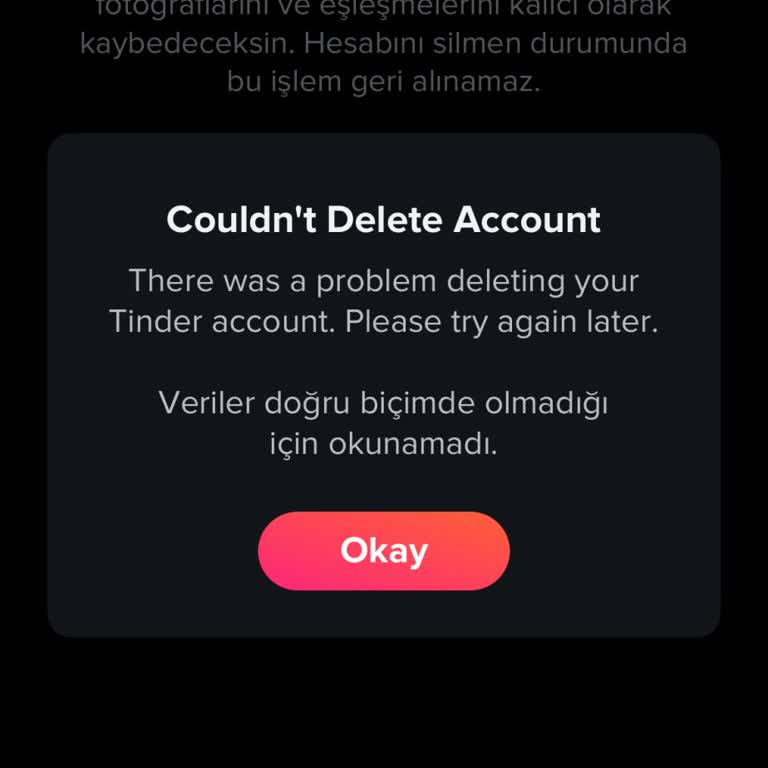
I signed up for Tinder Platinum, expecting to enjoy its premium features, but nothing is working as it should. Despite h...aving an active Platinum subscription, I am not getting any matches, and I cannot use the benefits I paid for. To make things worse, when I decided to delete my account, I receive
I deleted and reinstalled the Tinder app, but now messages won’t send or receive, and I can’t get any matches—the app is... completely unusable. I decided to delete my account, but when I try, I get an error message saying it can’t be deleted. I reached out to Tinder support via email, but no response
I downloaded Tinder, signed up with my phone number, and started using it. Not even a full day later—before I could even... get a couple of matches—I was suddenly logged out for no reason. I tried to log back in, but it wouldn’t let me. Since I couldn’t access my account, I decided to delete it. But gu
Tinder is completely broken for me. My account won’t delete, and the app barely functions. I’ve contacted support multip...le times, but they refuse to help or even explain what’s going on. Why is this happening? The app is glitchy—no matches, no messages, constant freezing. And to make things worse, w
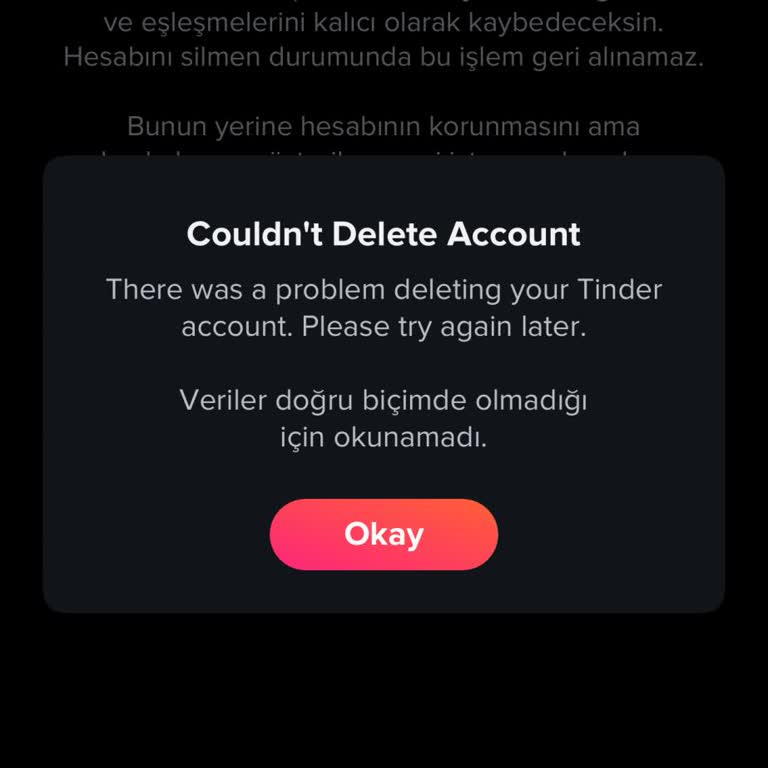
I have been unable to access my Tinder account for days because my selfie verification is still under review. This has b...een going on for far too long, and there is no update or resolution. What’s worse, I can’t delete my account either, meaning my personal information remains stored on the platform
I have been trying to delete my Tinder account for the past three months, but every time I attempt it, I encounter an er...ror. Despite numerous tries, I am unable to remove the account, which is preventing me from creating a new one. I urgently need assistance to resolve this issue so that I can move