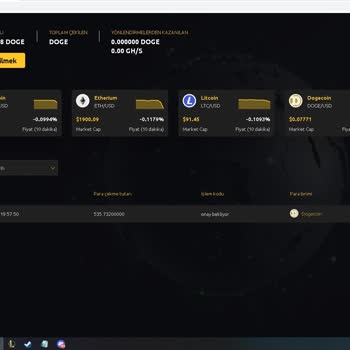
I requested a cryptocurrency withdrawal from Coinzp on Telegram, but it hasn't processed; how can I get my funds?
14 Views
1 Comment9 Complaint
Start by double-checking the transaction status in the Telegram bot or app. Check for any outstanding statuses, problem notices, or extra instructions needed to finish the operation.
Check that your wallet address is valid and that the receiving wallet is functioning properly.
Next, try contacting Coinzp's support team directly using the Telegram bot's help options or by using the provided contact information.
To help speed the process, include your transaction ID, wallet address, and amount withdrawn.
If the bot does not have a specific assistance channel, search for an official website or email address to contact customer service.
If you are unable to contact support or your money remain inaccessible, file a complaint on Xolvie to seek a resolution.
I am writing about a problem I experienced today with the Tone Mine bot on Telegram after paying for a “30‑day ton machi...ne.” Before paying, it was clearly written that by purchasing this 30‑day machine I would be able to withdraw my funds, and this was the reason I decided to invest. After the purch
I have been using the Tashan Win game platform, and I am facing a serious issue with my withdrawal and with additional p...ayments they are demanding. I registered on Tashan Win through the link https://tashan-win-games.com/#/register?invitationCode=7732600**** and also contacted their Telegram suppor
On 18 November 2025, a payment of 280 USDT was sent to my Telegram Wallet bot / Telegram in-app wallet (TON Space) as pa...yment for a bouquet order from a customer outside my country. According to the transaction details on Tronscan, the transaction was completed successfully, but these funds never ap
Over the past week, I’ve been trying to withdraw funds from the Telegram TON Mine mini-app on my iPhone, and every singl...e attempt has failed. The app prompts an “early withdrawal” commission and I paid ₺1200 each time, but no payout was ever processed. The service claims withdrawals are “guaranteed”
When I try to make a withdrawal on Telegram, it keeps showing as rejected and doesn’t go through. Please process my with...drawal request successfully. I’ve been trying to connect via video call since 12:12, and now it’s already 3:00, but the withdrawal still hasn’t been completed. Please find a soluti
Hello Telegram Support Team, I am writing this message out of deep frustration and disappointment. I recently discovere...d that the money in my Telegram Wallet was transferred without my knowledge or consent. I never approved any transaction, and I am completely in shock about how such a thing could
The person who sent me a message via Telegram, Ale******* w**, invited me to the virtual trading group called 'Hashhub R...esearch Online s-34'. With the guidance of assistant Jessica, I transferred more than 600,000 TL to the Coinzp site and we traded crypto with it. At the end of the work, when my mo
I recently discovered the "Last-Minute News" Telegram channel, which used to provide real-time news updates. However, as... the channel's subscriber base grew, it abruptly transformed into a cryptocurrency sales hub. I decided to look into this strange shift because I was intrigued. The "Last-Minute Ne
I've had money in my account for a week now but can't get my hands on it, my money everyone...unbelievable.... and frust...rating! The transaction is still pending and there's no progress or solution yet. to top it off, their live support seems to have disappeared. puff, magic. No matter how many time










1 Comment