I'm usually pretty good with technology, but I'm having trouble syncing my Omron blood pressure monitor with my phone's app. What am I doing wrong?
1 Views
There are several ways to fix Omron blood pressure monitor-phone app sync issues:
• Enable Bluetooth on your phone and blood pressure monitor. Also, some phones have a "Bluetooth visibility" or "discoverability" setting, so make sure your phone is discoverable during pairing.
• Minor glitches may be fixed by restarting your phone and blood pressure monitor. Switch off and on both devices to sync again. If the problem persists, forget the phone-monitor connection. In your phone's Bluetooth settings, find the Omron blood pressure monitor and "Forget" or "Unpair" it. Reopen the Omron app and follow the instructions to re-pair the monitor.
• You must also use the latest Omron app from the official app store (Google Play or Apple App Store). Old apps may not work with your phone or monitor.
If you've found these suggestions useful, consider leaving a comment to let us know.
I purchased an Omron blood pressure monitor a couple of weeks ago, but unfortunately, the device is not working as expec...ted. After sending it to the technical service along with the warranty documents, we were disappointed to find that they had written misleading statements, falsely attributing the
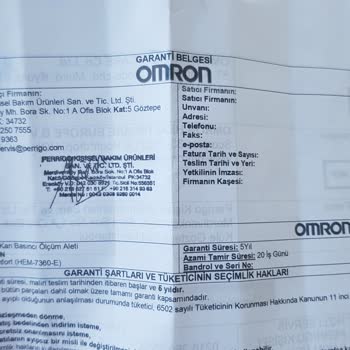
I bought an Omron M2 Basic blood pressure monitor on July 7th, 2023. After giving it a try on multiple occasions, I deci...ded to put it aside since it wasn't necessary. After a span of five months, I decided to utilize it once more, only to discover that it was no longer functioning. Consequently, I h