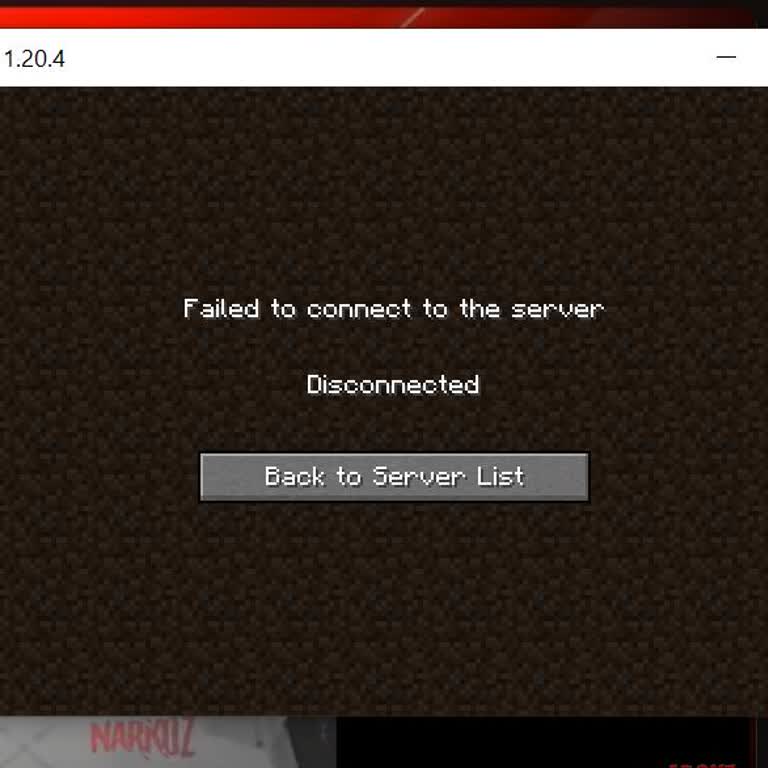
I keep getting a "connection lost" error when I try to play on my favorite Minecraft server, how can I fix it?
9 Views
Minecraft's connection lost problems could originate from several sources. First look at your network connection. Restarting your network or modem will help to guarantee stability. Try temporarily removing firewall or antivirus software to see if this fixes Minecraft occasionally blocking of it. Furthermore, turning off a VPN can assist if you use one.
Think then about possible server issues. Check the state of the server you are trying to connect to on the website or social media as it can be momentarily offline. Try reconnecting during off-peak hours when less people are online if the server is overrun with gamers.
Still another option is Minecraft client problems. Verify the version in the launcher to ensure your game is current. Use the Minecraft launcher to rebuild your corrupted game files. Try temporarily disabling mods and resource packs to determine whether they are the cause of any issues.
Check for hardware-related problems last. Update your network adapter or graphics card if necessary; outdated drivers for either can cause connection issues. Turn off newly installed hardware to rule out conflicts. Should you still be experiencing difficulties, ping test your connection speed, consult the server's documentation for guidance, or get in touch with the server administrator.
If you think you can propose better solutions to the question presented, we encourage you to offer your opinions or submit your complaints free of charge.
When I try to join a server while playing Minecraft, I keep seeing the same error screen that says: “The server you are... trying to join is using an older version of Minecraft. Please try again after the server updates. Connection failed.” That message keeps appearing. I don’t understand what it mea
Whenever I try to connect to servers on Minecraft, I keep getting the message: “Connect to the Internet,” even though my... internet connection is perfectly fine and stable. I’ve checked everything on my end—Wi-Fi is working, other online apps function normally, but Minecraft refuses to connect to any
Because I don't have an Xbox Live contract anymore, Minecraft logged me out of my Microsoft account after the most recen...t update. I can't play games with my friends or use any online tools right now. I bought the game so I could play with friends, but now that the rules have changed, I can't get to
I tried accessing Baso Network but encountered a "failed to connect to the server" error. Despite my efforts, I couldn’t... solve the issue, so I reached out to the mod team for help. Unfortunately, only one mod responded, while the others didn’t even bother to reply. I attempted to join the server on