I was offered a free month and then LinkedIn charged me unexpectedly — how can I dispute this unauthorized charge?
85 Views
If LinkedIn offered you a free month and then made an unexpected charge, you can dispute it by taking these practical steps to request a refund and prevent further charges:
• Go to website and download the receipt for the charge. Confirm the exact date and whether it appears as an automatic renewal.
• Then, go to LinkedIn’s Help Center: https://www.linkedin.com/help/linkedin/solve, select “Premium Account” > “Billing Issues,” and explain that it was a free trial, you had no intention to continue, and you’re requesting a refund.
• Include your account email, charge date, and screenshots of the original offer if you have them. Mentioning that you weren’t notified before the charge can strengthen your case.
• Cancel the subscription to prevent further charges by going to Settings > Subscriptions & Payments, and keep evidence of the cancellation.
• If there’s no response within 72 hours, contact your bank to block future charges and request a chargeback if the debit was recent.
❗ Every story matters! Let us know what has or hasn’t worked when handling this issue. Submit your complaint on Xolvie.
I previously purchased a one-year LinkedIn Premium subscription that was valid through April 2026. Despite already havin...g an active annual membership, I discovered that my credit card was charged again for LinkedIn Premium in both May and June 2026. I was billed $17 each month, for a total of $33, w
On June 15, 2026, $54 was automatically charged to my personal credit card linked to my LinkedIn account for a LinkedIn ...Premium subscription without my knowledge or authorization. I did not start a new Premium subscription, activate a free trial, or approve a charge of this amount in any way. After
I registered for a one‑month free trial of LinkedIn Premium and was clearly informed that I would be notified before any... paid renewal. However, I did not receive any notification before the trial ended, and on 1 June my Premium subscription was renewed without my consent. The renewal fee was charged
I used LinkedIn's complimentary one-month Premium Business trial. When I activated the trial, LinkedIn indicated that I ...would receive a reminder one week before the trial ended and before any charges were applied. However, I never received any reminder or notification. Once the trial expired, my cre
On March 31, 2026, I noticed that $7 was charged to my credit card for a LinkedIn Premium Business subscription without ...my knowledge or consent. I do not recall when or how this subscription was started, and I do not believe I knowingly approved it. As soon as I noticed the charge, I canceled the s
I live in the Netherlands and discovered that LinkedIn made two unexpected charges of €179.88 each from my bank account ...on March 24, 2026, at around 9:00 AM. These charges are related to a LinkedIn Premium subscription, but when I attempted to sign up for Premium, I repeatedly received error message
I started a LinkedIn Premium subscription on July 26 just to try it out. However, without any prior notification or warn...ing that the trial would convert into a paid plan, ₺3,600 was deducted from my account over August and September. I am a student and cannot afford this amount. I request an immedi
I signed up for a free LinkedIn Premium trial, but even though I canceled my subscription, a charge of ₺116.13 was still... deducted from my account on October 3, 2025 (card ending in 0310). I’ve experienced a similar issue in the past. I canceled the subscription directly via the LinkedIn website, but
A charge of ₺389.99 was recently withdrawn from my bank card by Google, listed under the name “LinkedIn.” I did not auth...orize or initiate any such payment. As a student, this amount is significant for me, and it was taken without my knowledge or approval. I immediately checked my LinkedIn and Googl
I subscribed to LinkedIn Premium and have been charged ₺119 every month through my credit card. However, I haven’t been ...able to access a single premium feature despite being a paid member. None of the advertised benefits—like InMail credits, advanced search, or seeing who viewed my profile—are avail
I’m writing to report an unauthorized charge to my bank account by LinkedIn. On May 18th, a payment of ₺679.99 was withd...rawn from my Türkiye İş Bankası account under the category of “electronics and computer purchases.” I do not have any active membership or subscription with LinkedIn, nor have I au
I signed up for the free trial of LinkedIn Premium about a month ago. However, I had no idea when it would end, and I re...ceived no warning or notification before the trial expired. Today, I discovered that my subscription was automatically renewed without my consent, and 1,799₺ was deducted from my a
I reached out to LinkedIn for a refund after being unexpectedly charged for a Premium membership I didn't mean to buy. E...ven after trying to get assistance, my request was turned down, putting me in a tough financial spot. The payment was taken from my bank account without my approval, and I never ga
I was charged 999.99₺ for a LinkedIn Premium subscription even though I canceled during the trial period. This charge ap...peared without any prior email notification or explanation. I submitted a cancellation request through the App Store and expected the subscription to end before any payment was ded
I signed up for LinkedIn Premium's one-month free trial, expecting to be charged only if I chose to continue after the t...rial ended. However, LinkedIn immediately withdrew ₺1799 from my account without any prior notification. This is misleading and completely unacceptable. There was no warning or con
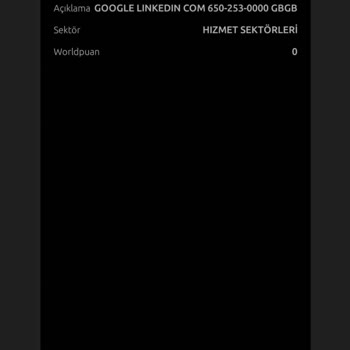
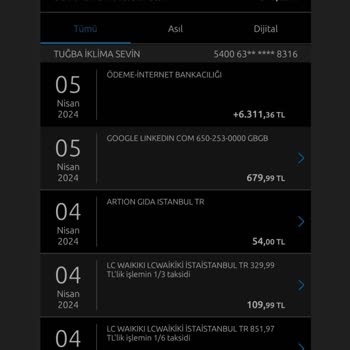
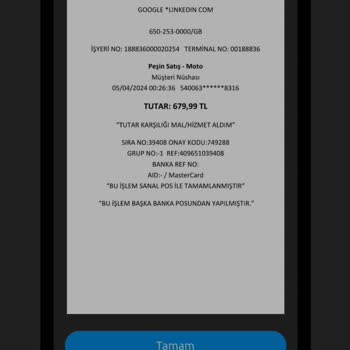
I signed up for a complimentary LinkedIn account. On April 5, 2024, an unauthorized withdrawal was made from my account ...for a Premium membership. I didn't provide my card information. I have buddies who've been using it for free for 5-6 years. What's the deal with activating a Premium membership wit
I joined LinkedIn to post a job opening, therefore I subscribed to a Premium account. I entered my credit card informati...on and was charged ₺1,785 for the Premium membership. I posted a job listing, but they charged an extra ₺12,000 for an already free listing that I activated today. I allocated a da
I had initially availed a 1-month free Premium subscription on LinkedIn. To my surprise, upon the completion of this tri...al period, an unauthorized deduction of 679.99 TL occurred from my account, with no prior notification about the impending charge or the option to cancel the membership. As soon as
I used LinkedIn's free trial for one month, but even though they said they would send me emails, they charged my card 2,...303.86 TL. I canceled the same day, but I didn't get my money back. I want my money back because I never used the service and they didn't give me the feedback they said they would.