I am unable to join teams and game freezes on Free Fire Max, how can I easily fix this issue?
74 Views
For smooth gameplay, you need a stable, fast link. To see if that fixes the issue, try switching from Wi-Fi to mobile data or mobile data to Wi-Fi. Restarting your router can also help your connection, which can help keep your games from freezing.
Next, make sure that your gadget has enough memory and storage space. To run smoothly, Free Fire Max needs a lot of resources. Try closing apps that are running in the background and clearing your cookies. Going to your device's settings, picking "Apps," finding Free Fire Max, and picking "Clear Cache" will let you clear the game's cache.
Free Fire Max often puts out updates called patches that fix bugs and make the program run better, so make sure you have the most recent version. Check your app store for updates and the running system of your device for any updates that are available.
Finally, if the problem still happens, you might want to try restarting the game. If Free Fire Max freezes, you can fix broken files by uninstalling it and then installing it again from the app shop. Check that your game data is synced with a linked account, like Google Play or Facebook, before you delete the game. If it's not, you could lose your progress. This full reinstallation usually fixes problems with gaming that won't go away.
Remember, you're not alone in your experiences. Explore Xolvie to read about the challenges others have faced and share your story.
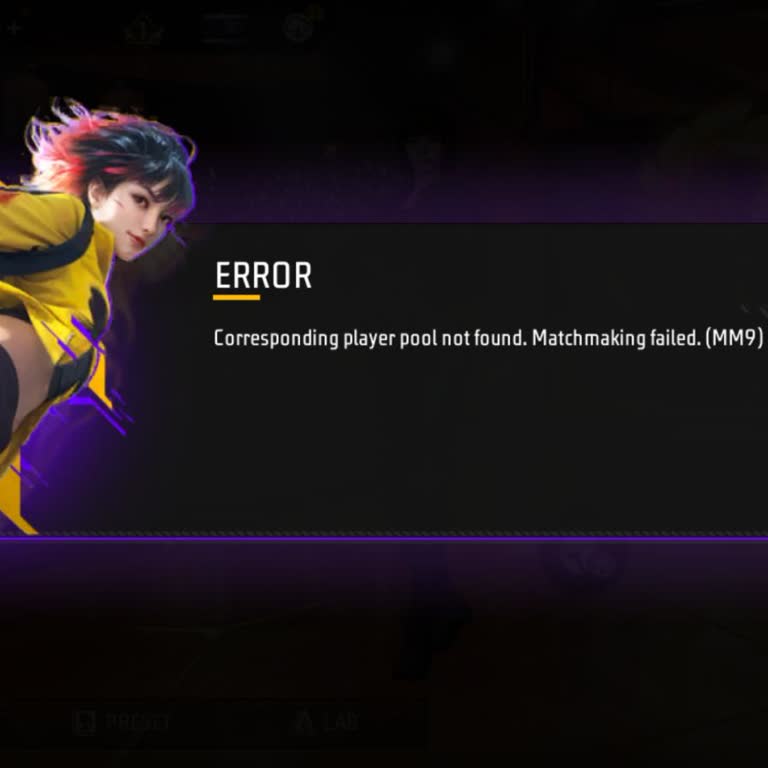
I am a Free Fire MAX player and I am having a serious problem with my account with the nickname “EG.MADMAX.!!”. For some... time now I have been unable to join matches and teams properly. When I try to play, I repeatedly receive error messages on the screen such as “ERROR: Corresponding player pool not
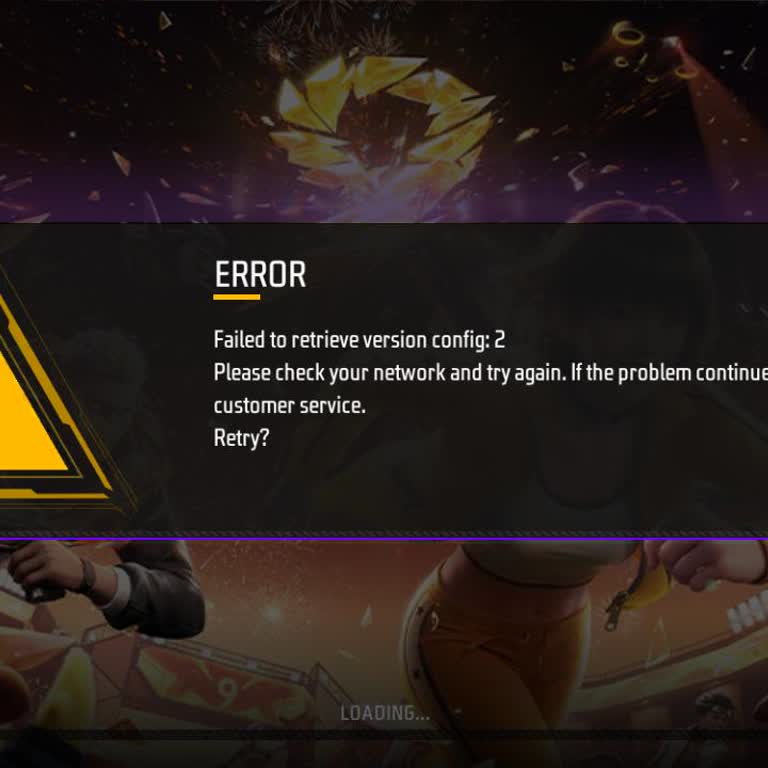
I have been unable to play Free Fire MAX on my Realme C21Y device for about two weeks. Every time I open the game, I get... an error screen that says “ERROR – Failed to retrieve version config: 2 – Please check your network and try again. If the problem continues, please contact customer service. Retry
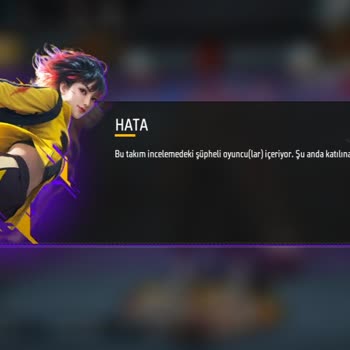
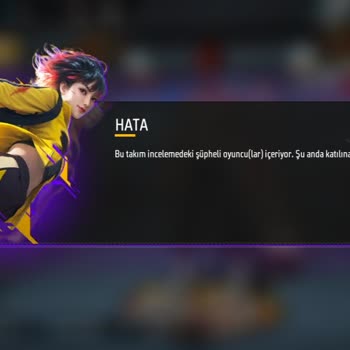
Dear Free Fire Team, I am facing a problem while playing the game. When I click the Start button, my game does not start... properly, and after it attempts to start, it shows a message saying there is a suspicious investigation in this team, so I am unable to join the team. When I go to the training gr
While playing Free Fire Max on my HP computer through Google Play Games, I have recently started experiencing the same r...ecurring problem. When launching the game, the loading screen reaches 99% and then gets stuck there. Even though my internet connection is working properly, the game will not open,
I am a Free Fire player and my in‑game ID is 6937702030. Since the 19th of this month, I have been unable to join my fri...end’s team or invite my friend to my lobby. It feels as if my account has been blacklisted or some kind of hidden restriction or suspension has been placed on it, even though the g
While playing Free Fire Max in ranked mode with a team 1–2 days ago, I suddenly received a message on my screen saying “...the team leader removed you from the team.” When I tried to rejoin the team, I then received a different error message stating “This team contains players under suspicious review.”
I am experiencing an issue in Free Fire due to something that happened while playing Ranked Team Clash. I was matched wi...th a random player, and we ended up on the same team. During the match, I had no idea that this player was using cheats. We won the match, but afterward, even though I never used a
Every time I try to log in Free Fire Max to play, I get a ping of 999+, and now I can’t enter anywhere except for Ultima...tum and Training. It shows the message from the screenshot saying there is a suspicious player in the team. My UID is 2762745338. I would like this issue to be fixed.
For the past 2–3 days, I’ve been unable to join any teams in Free Fire Max on my iPhone 6s. Whenever I try to join a tea...m, I get the following error message: “This team contains players under review. Unable to join at this time.” My account ID is 8959075847, and I’m playing from Bilesuvar, Azerbai
The Free Fire Max game is not opening, and I have sent many reports, but it has been a waste of time because sending rep...orts is of no use. What is going on? Can you fix these issues immediately? This is about Garena Free Fire.
Hello, I would like to report a serious issue with my Free Fire account. A player with the username FF_SENTEZ and UID 12...94085520 keeps appearing in my team without my permission. I have never invited or accepted this player, yet every time I log in, they are automatically placed on my team. This pro
Dear Garena Free Fire team, I suddenly faced a problem in the game. I did not play any ranked or other matches with any ...friends. Please kindly check my issue and resolve it. I would be very thankful to you if you could fix this problem.
I can log into my account in Free Fire Max, but I cannot enter any matches. I experienced this issue before and have bee...n waiting for it to be fixed for two weeks. This morning, when I saw that it was working, I tried to join a few matches, but after playing four or five games, I was suddenly kicked
I can log into my Free Fire Max account, but I can’t join any matches! After playing a few rounds, the game suddenly kic...ked me out for no reason, and ever since then, I haven’t been able to enter another match. This issue has been happening for two weeks now! Today, I thought the problem was finall