Xolvie Resolution Specialist14 Şubat 2024 08:07
If the BudgetAir website crashed before you got a confirmation email for your flight reservation, you can check the status of your booking in a few different ways:
To get to "Manage My Booking," go to BudgetAir's website and find the "Manage My Booking" section. You can try to get to your booking here by entering your email address or the name of a passenger. You should be able to see your reservation here if it went through even though the website crashed.
Talk to the airline: Talk to the airline directly to find out what's going on with your reservation. Give them any information that will help them find your reservation, like your name and the dates you want to travel. The airline might be able to let you know if your reservation went through.
Request Another Confirmation Email: If you can't find your reservation on BudgetAir's website or by calling the airline, you might want to ask for another confirmation email to be sent to your address. This can be used as a second confirmation of your reservation and may include important information about your reservation.
We believe that real customer experiences are the best way to get good advice. Please let us know in the comments below if you think this information is out of date or if you've had any problems. Your input will help get the word out and make things better for everyone.
Vote
Related Complaints
Budgetair Reservation Denied Despite Payment

January 17, 2024 11:30 AM
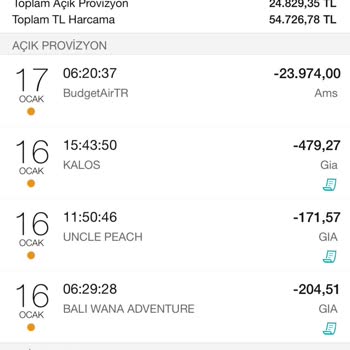
I bought a ticket from Budgetair.com and eagerly awaited confirmation. I was charged for the ticket on my card, but then... I got an email saying that the reservation couldn't go through and that I would get a refund within 5-10 business days. I'm currently overseas and I find it unacceptable for my fu
Budgetair Fake Booking and Unauthorized Charges

October 16, 2023 4:37 PM
I performed a search for flight tickets from Ankara to Stuttgart using Skyscanner and was redirected to budgetair.com to... complete the purchase. Unfortunately, the PNR (S55BXD) sent to my email was incorrect. After reaching out to Turkish Airlines, I found out that the ticket reservation was made und

BudgetAir
View All Complaints