MidasBuy won’t process my GPay payment and keeps forcing me to add a card, how can I fix this?
27 Views
If MidasBuy prompts you to add a card while attempting to utilize Google Pay (GPay), this could be due to regional payment method restrictions or platform requirements.
MidasBuy accepts a variety of payment methods, including credit cards, prepaid cards, and e-wallets, which may differ by country.
To resolve this issue, ensure that your GPay account is properly configured and linked to a legitimate payment method.
Ensure that your billing address matches the information in your GPay settings, as inconsistencies can cause payment processing complications.
If the difficulty persists, you should look into alternate payment options accessible in your area, such as credit or debit cards, or other local e-wallets authorized by MidasBuy.
For additional assistance, please contact MidasBuy's customer service at [email protected] or through their Facebook page at https://www.facebook.com/midasbuy.
Have a similar problem? Join others who’ve shared their stories and found solutions. File your complaint on Xolvie to bring attention to the issue.
I am absolutely furious with Midasbuy! I'm trying to purchase UC (Unknown Cash), but I keep getting a "P300 error," whic...h states there's a problem with my bank. Because of this, I can't buy any UC at all right now! This is completely unacceptable. Just three days ago, I successfully purchased UC fr
I’ve been trying to purchase UC through Midasbuy, but the system keeps giving me a payment error. I’ve checked with my b...ank, and there’s absolutely no issue on their end—my account is active, and there are sufficient funds available. Yet every time I attempt the transaction, it fails. To make matte
I attempted to complete a purchase on Midasbuy, but my payment keeps failing with the error message: "Payment failed. P...lease contact your bank or try another payment method. If this issue persists, please contact us. (B304)" I have checked with my bank, and there are no issues on their end. I also
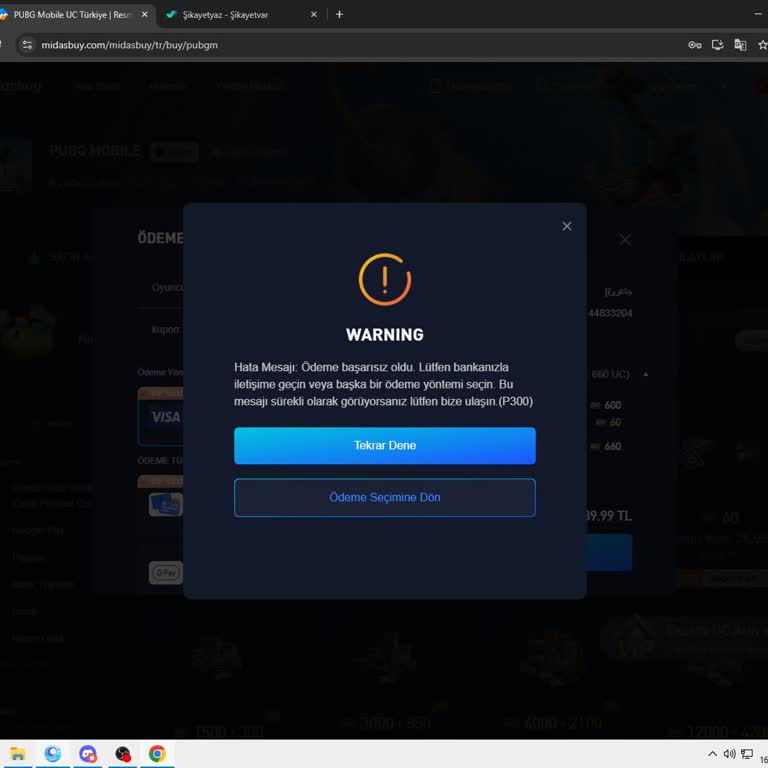
While trying to make a purchase on MidasBuy, I selected GPay as my payment method, but the system keeps asking me to add... a bank card for secure payment. Why is this necessary when I already have funds in my Google account? I don’t have a bank card, yet I can’t complete my purchase even though the mo