Xolvie Resolution Specialist17 Ekim 2025 12:48
If your payment on CoinPayments isn’t showing up, there may be a delay in network confirmation or an error linking the transaction. Here are effective alternative steps to fix it:
• Confirm the network used: many issues occur when funds are sent via a different network than the one specified by CoinPayments (for example, sending USDT on TRC20 when ERC20 was required). Check the network type on your receipt and the destination address.
• Verify the confirmation email: CoinPayments often sends a message titled Payment Confirmation Needed. If you don’t confirm through that link, the system may hold the payment without crediting it.
• Open a claim for missing funds: visit https://www.coinpayments.net/supwiz → Funds not credited / Payment missing. Explain the issue and include screenshots of your sending wallet, transaction hash, and proof of payment.
If the platform still doesn’t acknowledge your payment, file a claim on Xolvie to document the case and receive guidance until CoinPayments credits or refunds your transaction.
Vote
Related Complaints
I Invested ₺3000 on CoinPayments but My Funds Never Arrived

March 15, 2025 12:04 AM
I recently invested ₺3000 on CoinPayments, expecting the transaction to be processed smoothly. However, the funds never ...showed up in my account. I’ve waited patiently and double-checked everything, but my balance still reflects nothing. What’s even worse is the complete lack of support—there’s no l
I Can’t Get My Refund from CoinPayments.net Despite Paying All Required Fees

June 8, 2024 11:21 AM
I’ve deposited money into my CoinPayments.net account multiple times, and each time, the funds never showed up in my bal...ance. When I contacted support, they asked for the TXID, which I provided correctly, yet they still claimed it was invalid. Then, they told me I needed to send a TRX gas fee for a
I Can’t Get My Bicity Token Refund from CoinPayments After Failed Payment

May 22, 2024 6:59 PM
I made a payment through CoinPayments to purchase Bicity token, but the transaction was never approved. When I reached o...ut to request a refund, they asked for my wallet address and TXID. I submitted both exactly as required, but their system keeps claiming the information is incorrect, and as a resu
I Sent 50€ in BTC via CoinPayments but It Never Reached My Account

March 23, 2024 9:44 PM
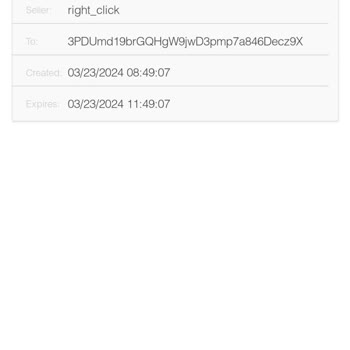
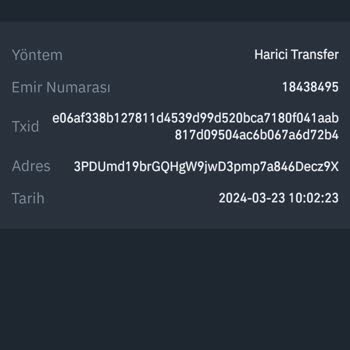
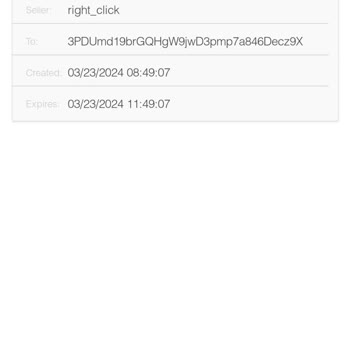
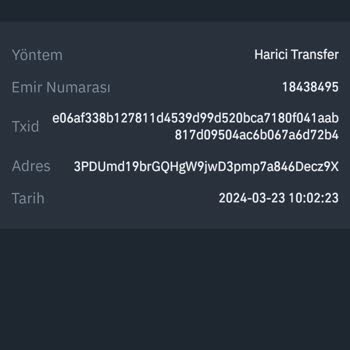
I sent 50€ worth of BTC to a CoinPayments account, transferring it directly from my Binance wallet. While the amount was... successfully deducted from Binance, the transaction never showed up in my CoinPayments account. It has now been days, and the transaction is marked as “failed” on the CoinPayments

CoinPayments
View All Complaints