My Apple AirPods are connected to my old iCloud, but now I can't sign in because I changed to another without disconnecting them. How can I reconnect them to my new iCloud account?
3 Views
To re-establish the connection between your AirPods and your new iCloud account, follow these steps:
• Insert your AirPods into their charging case and close the cover.
• Allow approximately 30 seconds to elapse.
• Open the lid of the charging case and place your AirPods in your ears.
• Navigate to "Settings" and choose the "Bluetooth" option. Alternatively, you can access "Settings" > [Your AirPods].
• If your AirPods are identified as being connected, tap the "More Info" button adjacent to your AirPods, then select "Forget This Device." Confirm this action when prompted.
If your AirPods do not appear on the list, proceed to the following step:
• Position your AirPods inside the charging case and leave the lid open.
• On the rear of the case, press and hold the setup button until the status light on the front of the case flashes amber and then white, a process that should take approximately 15 seconds.
• Reconnect your AirPods by situating them in close proximity to your iPhone or iPad. Follow the on-screen instructions displayed on your device's screen.
• Keep in mind that AirPods can only be linked to a single Apple ID at any given time. If your AirPods were formerly utilized with a different Apple ID, the prior owner must disassociate them from their Apple ID before you can employ them with your new iCloud account.
On December 23, 2024, around noon, I contacted Apple customer service to request assistance with changing my iCloud acco...unt. The representative who answered logged me out of my account without informing me that the photos, notes, and documents on my old account would remain there and be deleted from
I recently created a new iCloud account, but when I try to log in using "Sign in with Apple," it keeps redirecting me to... a random account. I just purchased this phone yesterday, and this issue happens even when I attempt a guest login—it still redirects to an unfamiliar account. I’m concerned that e
My Apple ID is still linked to my old phone number, and since I no longer have access to that number, I can’t receive th...e verification code needed to log in. I didn’t realize I had to sign in before updating my phone number, and now I’m locked out of my account. I created a new Apple ID, but both th
Hello, I recently purchased a second-hand Apple Watch from Sahibinden.com. The watch was bought only a month ago, and it... came with the original receipt, box, and everything else. However, the person I bought it from forgot their iCloud account and password, and now I can't pair the watch with my pho
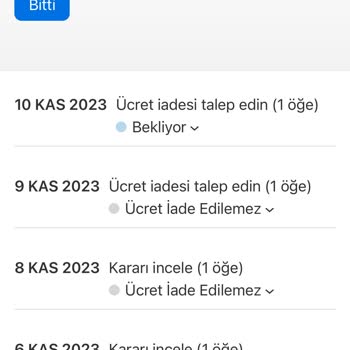
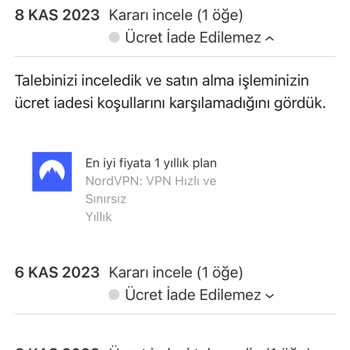
Dear Apple Support Team, I hope this message finds you well. My name is Eren Edip, and I am writing to bring to your att...ention an issue I have encountered with a recent in-app purchase on the Apple Store. On 5 November 2023, I unintentionally purchased Nord VPN, and that isn't working correctly in m