Xolvie Resolution Specialist14 Mart 2024 08:05
If your Amazfit software update is stuck, run some basic checks:
• Make sure your Amazfit device and smartphone have enough battery life, as low battery levels can disrupt the update process.
• Ensure that your phone has a stable internet connection, preferably via Wi-Fi, as a weak connection may result in download issues.
• To clear any temporary glitches, force quit the Amazfit app on your phone and relaunch it.
• If the problem persists, try restarting your phone and Amazfit device. A simple phone restart can often resolve minor software issues, so try restarting your phone before retrying the update via the Amazfit app.
Your voice matters, so don't hesitate to express your opinions in the comments section.
Vote
Related Complaints
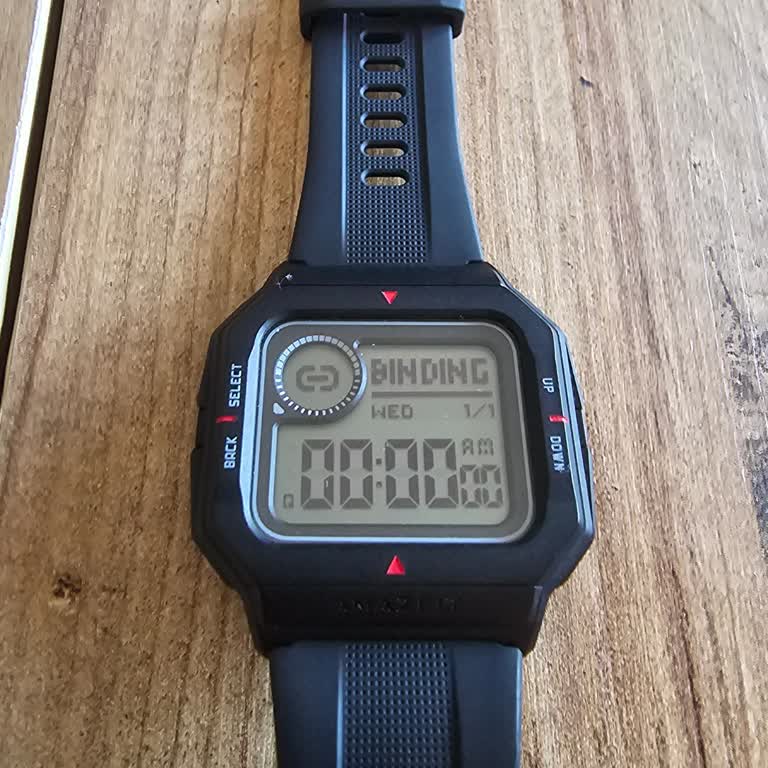
Amazfit Neo Watch Stuck on Binding Screen

June 28, 2024 6:57 PM
I bought an Amazfit Neo watch, and while trying to reset it, it got stuck on the Binding screen and is not responding at... all. I attempted another reset, but unfortunately, it did not resolve the problem. I have exhausted all options, but unfortunately, none of them seem to be effective. I am thinkin

Amazfit
View All Complaints