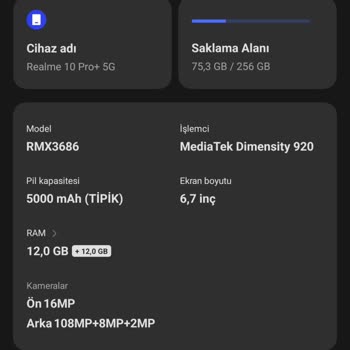
My Realme 10 Pro+ still hasn't received the Android 14 update. How can I manually update it?
21 Views
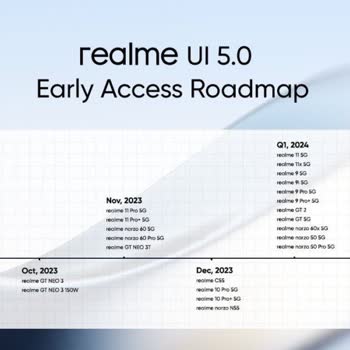
The Realme UI 5.0 update for the Realme 10 Pro+ 5G running Android 14 has begun to be sent out in India by Realme. Users can go to Settings > Software Update to see if there is an update.
If the update isn't on your device, it could be because it's being rolled out slowly or because of changes in your area. Realme's website has a UI Update Tool that you can use to update your phone by hand.
After you download and install the tool, connect your phone and follow the on-screen steps to bring your device up to date.
Make sure the update tool works with your device and save any important info before you continue. If you have problems, you can get help from Realme's customer service.
Check Realme's main channels often for news about when Android 14 will be released in your area.
If none of the above solutions work, please feel free to share your experience. You can also file a complaint on our website.
I need a software update for my Realme 10 because some features are missing, like the Wi-Fi calling feature, which is ve...ry important to me. I really respect Realme as a company and I consider the phone to be a very good device, but I urgently need a solution for this issue. Please let me know as soo
Everywhere it was mentioned that the Realme 10 Pro+ would receive the Android 14 update in December 2023, but as of Janu...ary 2024, the update is still not available. Is there an issue with my phone? I would appreciate your assistance. We purchased the phone with the expectation of an update, but it h