MSI Desktop With Nvidia GT 1030 Has HDMI Display Artifacts on Windows 11

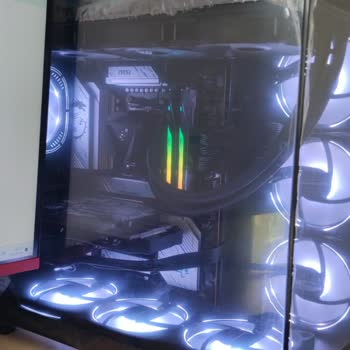
I have been experiencing a display issue for about one week on my desktop computer, which has an MSI motherboard, an Nvidia GT 1030 graphics card, and Windows 11 installed. When the system was at technical service using the same monitor, the same HDMI cable, and the same case, there was no problem at all. However, when I set up the computer in my own room, either there is no display at all or colored rectangles and artifacts appear on the screen during startup. If I try to turn on the computer while the HDMI cable is connected, the computer does not boot. But if I unplug the HDMI cable, turn on the computer first, and then plug the HDMI cable in last, the computer starts normally.
When I disable the graphics card and use the motherboard’s integrated graphics output, the system works without any problems. The graphics card driver is installed and up to date, Fast Boot is disabled in the BIOS, and the CSM/UEFI settings appear normal. From time to time, I also receive the error code 0xc0000098. Since the same hardware and the same cable work properly in another environment, I believe the possibility of a hardware failure is low. The problem only appears when I set up the computer in my own room.
Regarding this issue, I would like to receive a detailed and understandable technical explanation. If possible, I also want to be clearly informed about what software-related, settings-related, electrical, grounding, HDMI signal, BIOS, or system configuration factors could be causing this problem.