LG UHD 75-Inch TV Can’t Log Into WebOS Account—Software & Server Issues
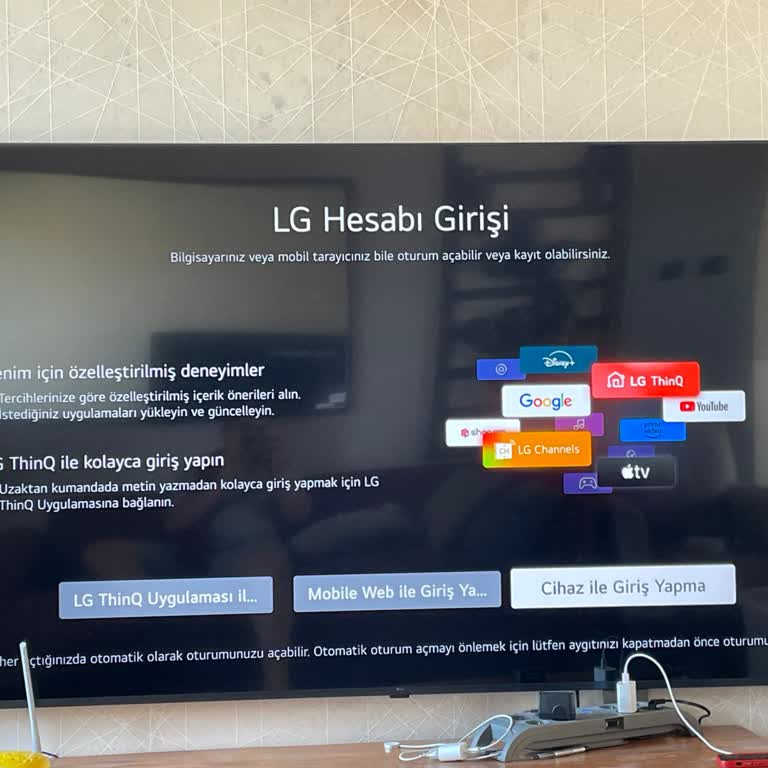

I own an LG UHD 75-inch TV with WebOS, but there is a major issue with account settings and software updates. Every time I try to log into my LG account, I cannot access it in any way.
When I select "Log in with LG ThinQ", it doesn’t work.
When I try "Log in via Mobile Web", I scan the QR code, but nothing happens. Instead, I get an error message like "Please try again later. Error code: XXXX."
When I choose "Log in with Device", it rejects my username and password, even though they are correct.
I have already checked my internet connection, turned the TV off for five minutes, reset it to factory settings, and even contacted customer service, but they provided no real assistance. They simply dismissed the issue, leaving me without a working account.
I strongly believe this is an LG server issue, not a problem on my end. LG, fix this immediately! I paid for a smart TV, and I expect it to function properly.