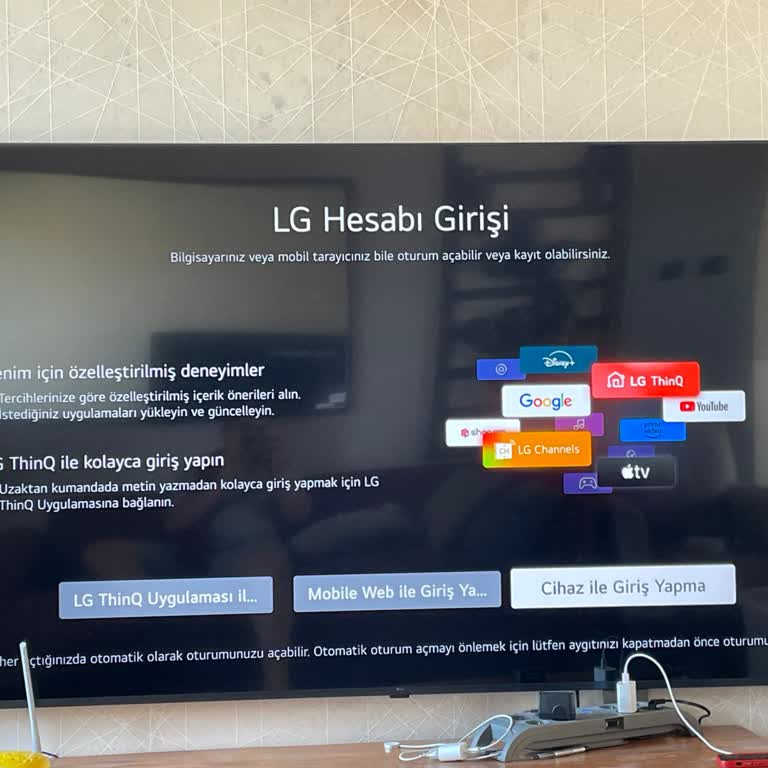
Can’t Log Into LG ThinQ App on My New WebOS LG TV

62

I recently purchased a new WebOS LG TV and installed the LG ThinQ app. While the registration process completed successfully, I am unable to log in due to a persistent "server error." Without access to the app, I can’t use many of the features and applications that make the TV smart.

This issue has been incredibly frustrating, as I specifically chose this TV for its smart capabilities, which are now unusable. LG, I need an urgent solution to this problem so I can access the app and fully utilize my TV. Please address this server error immediately and provide clear guidance on how to resolve it. I expect better functionality and support from a brand like LG.


Comments

Similar Complaints

LG TV Shows Service Errors & Won’t Work Properly

56

I purchased an LG TV weeks ago, but I still can’t properly use its features. No matter what I try to access, I keep gett...

LG UHD 75-Inch TV Can’t Log Into WebOS Account—Software & Server Issues

62

I own an LG UHD 75-inch TV with WebOS, but there is a major issue with account settings and software updates. Every time...

LG UHD 75-Inch TV Can’t Log Into WebOS Account—Software & Server Issues

LG ThinQ App Won’t Log In or Control My Devices

34

I’ve been unable to use the LG ThinQ app despite knowing my password. When I try to log in, it doesn’t work. If I select...

Can't Log into My LG Account—Constant Errors & No Access to Apps

44

I have an LG account, but I cannot log in due to constant errors. Despite paying a significant amount for my LG device, ...

Unable to Log Into LG TV App Store Due to Constant Login Errors

36

I've been struggling with repeated login issues on my LG TV’s app store. Although I managed to access it briefly before,...