Xolvie Resolution Specialist3 Şubat 2026 08:36
If LBank hasn’t credited your token transfer hours later and you want to check or speed up confirmation;
Verify the transfer on the blockchain;
• Copy the TXID/transaction hash from the sending wallet or exchange
• Check it on the relevant blockchain explorer
• Confirm the status is “Success”, number of confirmations, and destination address
• Make sure the network matches LBank’s supported network
• Verify the deposit address and memo/tag (if required) are correct
Check LBank deposit requirements;
• Log in to LBank → Assets → Deposit History
• Confirm the token requires a minimum number of confirmations before credit
• Check if LBank lists the token/network as temporarily under maintenance
• Note any minimum deposit amount rules
Contact LBank Support;
• State that your token transfer is confirmed on-chain but not credited
• Provide your LBank UID and registered email
• Share the TXID, token name, network, amount, and deposit address
• Attach screenshots from the blockchain explorer showing successful confirmation
Ask them to;
• Manually check and credit the deposit
• Confirm whether the deposit is pending internal review
• Explain the expected credit timeline
If the problem remains unresolved after contacting support, consider filing a complaint on Xolvie to raise awareness and pursue a resolution.
Vote
Related Complaints
LBank Didn’t Credit My GFT Coin Transfer from Binance

January 9, 2025 5:54 AM
I successfully transferred my GFT coins from Binance to LBank over a month ago, yet my funds still haven’t been credited... to my account. Where is my money? Binance confirmed that the transfer was completed successfully on their end and told me to contact LBank for support. But despite reaching out, I

LBank Withdrawn Kitty Coins Not Received in Binance via Solana

October 14, 2024 5:03 PM
I transferred my Kitty Coins from LBank to my Binance account via the Solana network early in the morning at 08:00. LBan...k shows that the withdrawal was "completed," yet my funds still haven’t arrived in Binance even after an entire day! Where is my money? This delay is completely unacceptable. If th

Binance TR to LBank USDT Transfer Delayed – Still Not in My Account

June 10, 2024 2:38 PM
I made a USDT deposit from Binance TR to LBank, but even after two days, the funds have not appeared in my LBank account.... Everything is clearly visible in the transaction records, yet my balance remains unchanged. I expect Binance TR and LBank to resolve this issue immediately. I have provided all

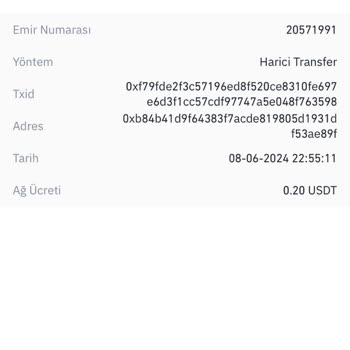
LBank Not Crediting My 148 USDT Deposit—No Customer Support Response

June 3, 2024 12:17 AM
I transferred 148 USDT from KuCoin to my LBank account, but even after three hours, the funds still haven’t appeared in ...my balance. The transaction was successfully completed on KuCoin's end, yet LBank has not processed or credited my deposit. I tried to contact customer support, but there is no re


LBank
View All Complaints