Xolvie Resolution Specialist18 Şubat 2026 07:16
If you never received a verification code to sign into Hornet and can’t access your account;
Check your contact details first;
• Make sure your email or phone number is entered correctly
• Include full country code for phone numbers
• Screenshot the verification request screen
Check messages and email (including Spam);
• For SMS codes:
– Check inbox + blocked/spam folders
• For email codes:
– Check Spam / Junk / Promotions
– Search “Hornet” or “verification code”
Check device/network issues;
• Turn Airplane Mode ON → OFF
• Restart your phone
• Switch Wi-Fi ↔ mobile data
• Make sure SMS works by testing another message
Disable blockers;
• Check if SMS filtering or call-blocking apps are active
• Make sure Hornet emails aren’t blocked
Contact Hornet Support;
• Explain you’re not receiving any verification code
• Provide:
– Username/email/phone
– Time requested
– Screenshot
• Ask them to:
– Confirm your contact info
– Manually trigger a code
– Offer alternative verification
If none of the above solutions work, please feel free to share your experience. You can also file a complaint on our website.
Vote
Related Complaints
Hornet Facebook Sign-Up Not Working for Over Six Months

January 17 5:28 AM
I am trying to create a new account on the Hornet app by connecting through Facebook, but I have not been able to do so ...successfully. When I attempt to sign up using Facebook, it asks for email verification; however, I am unable to complete this step, so I cannot create a new Hornet account. This is
Hornet App Stuck on Email Verification Screen

October 30, 2025 12:54 PM
When I try to log into the Hornet app from my Huawei P Smart S 2020, I receive the following message and the app never l...oads: “Please verify this connection method through the email sent to you. If you can’t find the email, check your spam folder or click ‘resend’ and try again in 30 seconds.” This
Hornet Verification Code Not Sent
February 15, 2025 12:04 AM
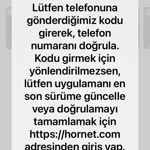
I am unable to access my account due to a verification code issue. The system detected suspicious activity and is reques...ting a verification code, but when I enter my Turkish phone number, I never receive the code. Additionally, there is no Turkey option available to change my phone number settings,

Hornet
View All Complaints