I purchased Fortnite skins and V-Bucks but they are not showing up, how can I resolve this issue?
112 Views
If you're having trouble with missing Fortnite skins and V-Bucks, verify your purchase by looking at your transaction records to make sure it went through.
Next, log out of your Fortnite account and then log back in to refresh it. This may make the things you bought show up. If you just bought something, please wait a little while longer because handling may take a few minutes.
For help, contact Epic Games support if the things still don't show up. They can look into what's going on and help you get the skins and V-Bucks back on your account.
If you have experienced a similar issue, please feel free to share. You can also file a complaint on our website.
I am writing regarding an issue I am experiencing with my Fortnite Battle Pass. I purchased this season’s Battle Pass la...st month through Fortnite Crew on my Nintendo console, and my Fortnite account email is chel***@parallel49brewing.com. Despite reaching level 200, I am unable to claim all of the r
I am trying to make a payment on Fortnite through Epic Games using Papara. I attempted to purchase both Crew Pack and V-...Bucks, but every time I try, I receive an error message saying “Looks like something went wrong.” I have experienced this issue multiple times, and no money has been charged from m
I recently purchased the Ford Mustang GTD from the Fortnite Item Shop, paying 2,800 V-Bucks for a vehicle that is curren...tly not usable in-game. I’ve attached a screenshot to prove the issue. Despite this, Epic Games has rejected my refund request, stating that a refund would be unfair to other playe
I purchased V-Bucks directly using my own Nintendo account, and the payment was immediately processed — I even saw the c...harge on my bank statement. But the V-Bucks never showed up in my Fortnite account. I didn’t buy them from a third-party platform or through a gift — this was a direct transaction,
I purchased a Fortnite bundle for ₺500, expecting to receive everything that was clearly listed in the offer. However, o...ne of the skins that was supposed to be included is now completely missing from my account. This is incredibly frustrating and makes absolutely no sense. I’m really angry right no
I tried to make a purchase in Fortnite, but every time I reach the order summary screen, I get an error that says: “Some...thing went wrong. For your safety, this transaction was declined. Please try another card or payment method.” I’ve tried using different cards and methods, but none of them work.
On launch day, I accidentally purchased two Fortnite outfits—Lewis Hamilton and Ryomen Sukuna—without meaning to. I didn...’t realize both had gone through until it was too late. The total cost was 3300 V-Bucks, and now that I’ve checked, I don’t have any return tickets left to undo the purchase. This
Dear Fortnite team, I accidentally redeemed a costume code on the wrong account. I play on PS4 and meant to redeem it on... my main account, but I mistakenly applied it to another Fortnite account I’ve never used. Both accounts have the same email address. I kindly request that the items from the wrong
I bought 1,000 and 2,800 V-Bucks in Fortnite. After my enthusiasm for the game waned, I attempted to obtain a refund for... my V-Bucks, but unfortunately, my efforts were in vain. If I decide to quit playing this game at some point, my only options would be to either sell my account or pass it on to my
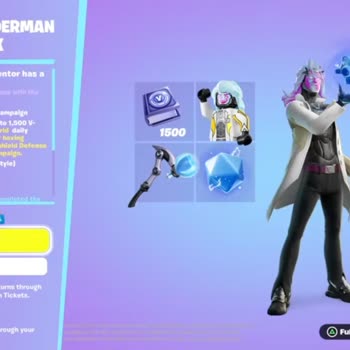
I bought the Starter Pack for 245 ₺ in Epic Games' Fortnite, which came with a promise of 1500 V-Bucks. However, after r...eaching a certain stage in the Save the World mode, the mission to unlock 1500 V-Bucks was expected to appear, but it has been absent for the past 2 days. Even after sending severa