Xolvie Resolution Specialist10 Aralık 2025 11:11
Why battery problems occur and what to do. Here are useful and up-to-date recommendations:
Check the battery temperature before charging
A DJI battery will not charge if it is too cold or overheated.
Let it sit at room temperature for 20–25 minutes.
Use only the original charger
Low-quality adapters and cables can deliver incorrect current and accelerate battery wear.
Inspect the battery and charging port contacts
Dirt, oxidation, or damage can cause unstable charging.
Gently clean the contacts with a dry cloth.
Check battery health in DJI Fly
The app shows charge cycles and cell condition.
If one cell is “dropping,” the battery will lose capacity.
If the battery drains quickly during flight
Check the drone’s load: propellers, gimbal, and balance.
Ensure there is no strong wind — it significantly increases power consumption.
Update drone and battery firmware.
If the battery does not charge
Try another cable or another charger.
Check the power outlet.
If the charge stops at a certain percentage, the cells may have degraded.
Do not use swollen or cracked batteries
This is dangerous. The battery must be replaced immediately.
If problems started after long-term storage
DJI recommends storing batteries at 40–60% charge.
Recharge them several times — sometimes the battery “wakes up.”
When diagnostics are necessary
– if the battery shuts down the drone at 20–40%;
– if charge drops in sudden jumps;
– if charging takes too long or never starts.
If your DJI battery continues to malfunction, be sure to document the issue on Xolvie — this helps push for repair, replacement, or warranty compensation.
Vote
Related Complaints
I Can’t Use My DJI Action 3 Standard Combo – Overheats and Battery Dies in 30 Mins

April 5, 2025 12:49 PM
I purchased the DJI Osmo Action 3 Standard Combo on February 5, 2025, after doing careful research. The product specific...ations claimed up to 180 minutes of battery life, or around 150 minutes in sub-zero temperatures. However, since day one, I’ve only been able to use it for 30–40 minutes at most—no
+4
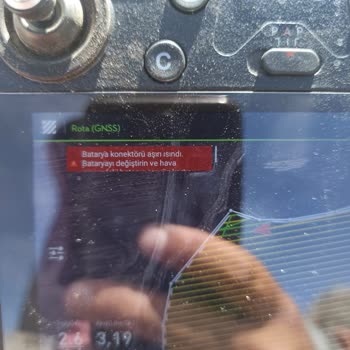
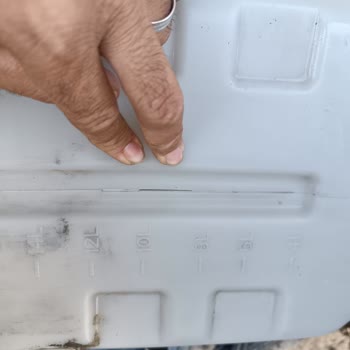
DJI T30 Agricultural Drone Battery Warning and Cracked Tank – Warranty Denied

October 8, 2024 4:13 PM
I own a DJI T30 agricultural spraying drone, and the battery is giving a warning, plus the pesticide tank has a crack. B...oth issues occurred while the drone is still under warranty, yet the authorized dealer claims these problems aren’t covered. The batteries have been used minimally, but they’re alr
DJI Mini 2 Fly More Drone Batteries Swollen After 1 Year

October 4, 2024 10:58 PM
We purchased a DJI Mini 2 Fly More drone a year ago, trusting the brand’s quality, especially since it comes with 3 batt...eries. Unfortunately, all three batteries have swollen within a year, making them unusable. I chose DJI specifically for its reputation, so this issue is highly disappointing. I a

dji
View All Complaints