BitMart approved my BTC transfer, but it's not in my account; how can I resolve this quickly?
3 Views
If BitMart accepted your BTC transfer but the funds have not yet appeared in your account, use a block explorer to check the transaction's status on the blockchain.
Make sure the transaction has the required amount of confirmations and that the receiving address matches your BitMart wallet address. This step validates that the transaction was processed correctly and sent to the correct address.
Consider probable concerns like network congestion, which can cause delays in transactions, or technical issues with BitMart's platform.
It's also possible that the BTC was sent to an invalid or out-of-date address, or that your wallet isn't synchronized. Reviewing these criteria can aid in determining the source of the delay.
If your BTC is still not in your account after these checks, please contact BitMart's customer care right away via email at [email protected].
Provide them with complete details, including your transaction ID, sending and receiving addresses, and any relevant screenshots.
If the problem remains unresolved, consider filing a complaint on Xolvie to raise awareness about the issue and inform others.
About a month ago, I purchased Pi Network tokens on BitMart, but since then, I’ve been completely unable to withdraw or ...transfer them to my MEXC account. Every time I try, the system gives me a “maintenance in progress” warning, blocking the transfer altogether. Now it’s been over a week, and not o
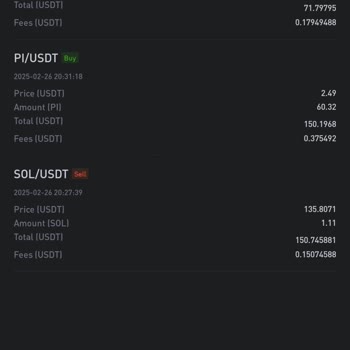
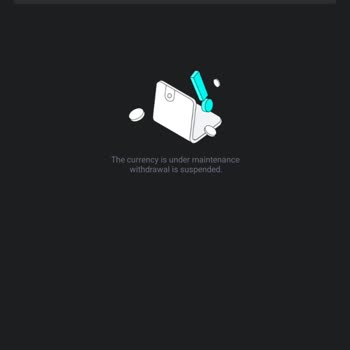
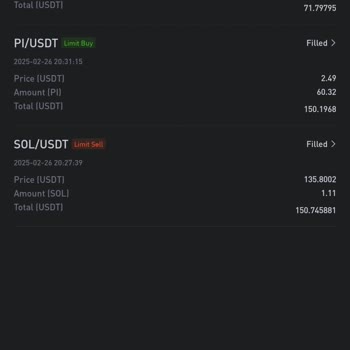
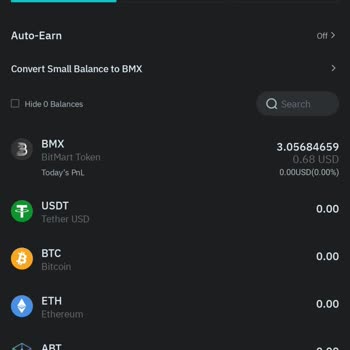
I passed all stages and it was time to get my money funded to me, but BitMart didn’t let me withdraw it. I double-checke...d that all verification steps were completed and my account was in good standing. Despite this, every attempt to withdraw was either delayed or outright denied without a clear expl
I had a terrible experience with BitMart—they took my money right before my eyes. When I tried to sell my coin, I clicke...d multiple times, yet the order never executed. Instead, I kept getting the "order created" message over and over. Meanwhile, the coin's value kept dropping, leading to a significa
On December 2, 2024, I transferred 108,520,180.5 Neuton tokens from Bitmart to Mexc. Since the memo field was marked as ...optional, I left it blank. However, the tokens never appeared in my Mexc account. After contacting Mexc support, I was informed on December 12, 2024, that the tokens had been retu
I transferred my Solanababy tokens from Trust Wallet to Bitmart, but even after 24 hours, the tokens have not appeared i...n my account. When I contacted Bitmart, they told me that the contract address of my tokens doesn’t match theirs, so I can’t trade on their exchange. This is despite the fact that
BitMart has frozen my funds in Normie tokens for the past 6 months, and I haven’t received a single cent back. My money ...is missing, and even though I have records of my transactions, they’ve effectively stolen my funds. I demand that my money be returned immediately. As you can see, they took my fun
I purchased Mascot AI coin from Bitmart, but the coin has been frozen, and I can’t make any transactions. I’m unable to ...withdraw my funds, and when I contact customer service, they provide no real assistance. They just tell me to move the funds to a cold wallet, but offer no other help or solutions.
This is a big fraud, I paid a huge amount without getting anything back in return, as they promised %100 payout. They tr...icked me into putting my hard earned money with hope to get something in return, they didn’t allow me to make a withdrawal. All they wanted was to steal my money. But I went ahead
I had a total of $83 in my Bitmart account. I requested a withdrawal, but I wasn't getting the SMS confirmation code. Ev...en after attempting to update my phone number, I continued to experience difficulties in receiving the SMS code. Even after multiple attempts to contact customer support, I continu