Yourselfirst took money from my account, and my results disappeared; how can I get my money back?
8 Views
First, go to https://app.yourselfirst.com/en/sign-in and log in to your account to make sure you are still subscribed and see if your results can be recovered.
If your data is lost, you should email their support team right away at [email protected] with information about your account and what's going wrong.
Send an email to [email protected] asking for a refund. Make it clear that the charge was not allowed and that your results disappeared, which is against their service terms.
Include information about the purchase, like the amount charged and the date, as well as any proof that you have already seen your results. Ask for both a refund and for your info to be brought back.
If the problem is still not fixed, call your payment provider and challenge the transaction, saying that the service was delivered without permission or in part.
If the problem remains unresolved, consider filing a complaint on Xolvie to raise awareness about the issue and inform others.
Yourselfirst is charging money to my account without my permission, have not purchased anything from them or asked for a...ny type of service, please need to stop them and get my money back. It seems to be a fraud that they are using constantly.
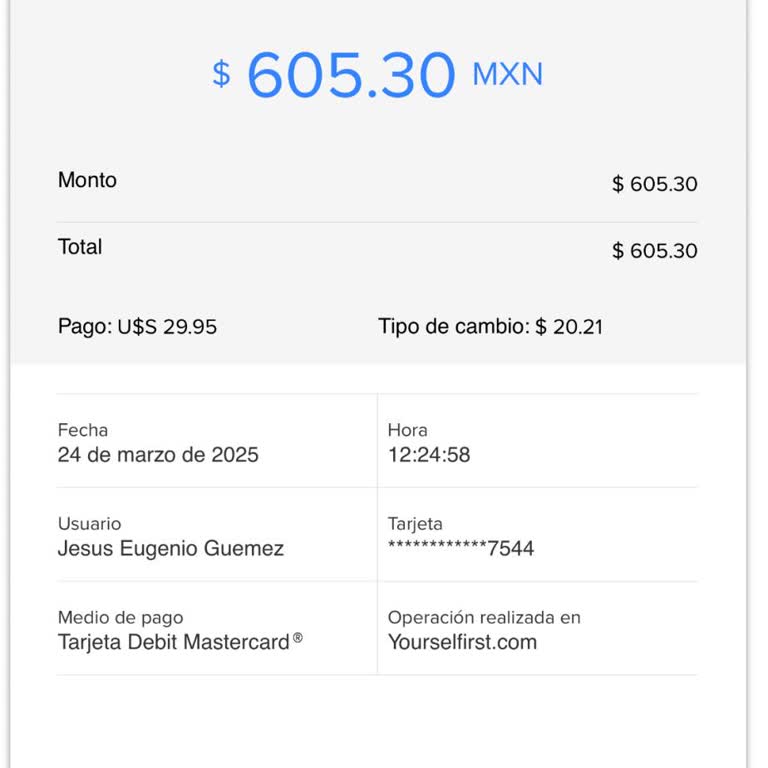
To investigate their offerings, I registered for Yourselfirst and asked for a first consultation. Later on, though, I wa...s horrified to see the corporation took $24.99 from my account without my knowledge or permission. I had no knowledge a subscription had been turned on. My password no longer worki