I've been using Tinder for a while now, but I'm unsure if anyone has swiped right on my profile. How can I check if I've received any matches?
1 Views
There are several ways to check for matches on Tinder if you've been using it:
• The Flame Icon is Tinder's central hub, located at the bottom bar. Tap it to open Tinder's main screen. A number will appear on the flame icon if there are new matches.
• Look in "Matches": Explore Tinder's tabs above the main screen. The "Matches" tab is the second from the left, with a profile card icon of two hearts. You can view profiles of people who like you by tapping this tab.
• When someone swipes right on your profile, indicating interest, you'll see a bright yellow star badge on their photo. As you browse your "Discovery" queue, look for this badge in the bottom right corner of their image.
• Make sure Tinder notifications are enabled on your device. Tinder will immediately notify you via your phone of new matches.
We acknowledge that valuable advice often originates from genuine users. Should you possess additional insights or differing perspectives, we encourage you to contribute by commenting or lodging a complaint.
Hello, I’ve been a Tinder Platinum subscriber, expecting all the premium features to function as promised. But for over ...a week now, I’ve been dealing with the same frustrating issue: other users cannot see my profile, my messages don’t go through, and I can’t send likes or receive proper matches. Ev
There’s something seriously wrong with the Tinder app, and it’s been going on for far too long. My matches don’t show up..., the app constantly glitches, and I can’t even delete my account. Every time I try to log in, I experience problems — the app either freezes, crashes, or just refuses to function
There’s a major ongoing issue with my Tinder account that has made the app completely unusable. I can no longer see any ...of my matches—it's as if they’ve all vanished from my profile. On top of that, I’m unable to delete my account, which is extremely frustrating. The problem persists no matter how m
I signed up for a Tinder Gold membership a few months back, thinking it would assist me in finding a compatible match. R...egrettably, that did not occur. I’ve been using the app consistently and trying all the recommended strategies to enhance my profile, yet I haven’t received a single match or even
A couple of weeks ago, I subscribed to Tinder Gold, expecting to benefit from the advertised premium features—but none o...f them are working. I can't see who liked me, even when my friend liked my profile from another account. My "Likes You" section remains completely empty, and I'm constantly shown t
I subscribed to Tinder Platinum, expecting better visibility, more matches, and access to all the features that come wit...h the highest-tier membership. But since upgrading, I’ve seen zero likes, zero matches, and no activity at all—it’s as if my profile is completely invisible on the platform. Despi
I signed up for Tinder Platinum, expecting full access to the premium features I paid for—especially the ability to like... profiles and receive likes in return. But since the moment I subscribed, I’ve been unable to like anyone, and no likes are coming in either. Despite this, the app is still using
I am constantly facing issues with Tinder, and I have had enough! My account has been locked multiple times, and I keep ...experiencing problems with matching and messaging. Every time I try to use the app, it says my selfie is under review, but the process takes days with no progress. I have not viol
Despite purchasing Tinder Gold, my account has been frozen and I can’t use the app. I’ve been charged for the membership..., but I’m unable to enjoy any of the features. Even after trying to delete and reinstall the app, it won’t let me. Despite having Gold, I haven’t received any matches, and my accou
I purchased a Tinder Gold membership for $30, but I am experiencing significant issues. I am not able to send likes, and... each time I log in, I see the same profiles repeatedly. As a result, I am not matching with anyone. I request a refund for my subscription or a resolution to this problem. I have
I have been using Tinder for about two years, and I have a Gold membership. Last night, I used the app and logged out, b...ut when I woke up this morning, I found that all my matches and chat history (messages) were gone. Additionally, the likes I have received recently are not showing up in the likes
I'm really annoyed with Tinder Gold! I recently bought a subscription, but it's not working as promised. Here's the cat...ch: I'm unable to view anyone I've shown interest in and to make matters worse, I can't see who has expressed interest in my profile! It seems like all of the Gold features are not
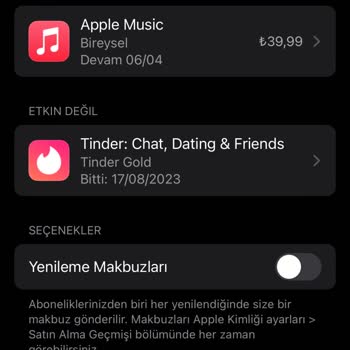
On August 17, 2023, I purchased a one-month Tinder Gold subscription. The subscription ended on the same date, and I did... not renew it. I deleted my Tinder account on August 17, 2023. However, I received an email from Apple stating that my Tinder Gold subscription would not be deleted from my Apple