I encountered glitches in the Starbucks mobile app while trying to place an order. How can I proceed with my order?
3 Views
If you're having trouble placing an order on the Starbucks mobile app, you can start by trying some simple steps to fix the problem.
• Close the app and then open it again to see if that fixes the problem.
• If not, you might want to force-quit the app and restart your phone to get rid of any temporary data or memory that could be causing the problem.
• Also, see if there are any updates for the app. Running the most recent version can fix bugs that have been found in older versions.
• Lastly, make sure your internet connection is stable. Bugs can happen if your connection is weak or goes out every now and then.
You can get around app bugs and finish your Starbucks order by following these steps.
I’ve attempted to contact Starbucks customer service more than 10 times regarding an issue, but every time I reach the p...oint of being transferred to a representative, the call disconnects. This isn’t a one-time glitch—it has happened consistently, even when trying from a different phone. It feels le
I purchase around 2,000 beverages annually, but I was treated poorly due to their own system error. When I shared my fru...stration, an employee even said, “It will cause problems for you, not us,” as if trying to intimidate me. I regularly buy milk tea, and the system automatically offers a free refi
Hello, I was attempting to pay at the Starbucks in Vega Subayevleri Mall in Ankara Altındağ. I wanted to use the Metropo...ll QR code to pay at the cashier. But I was told that it wasn't possible and there was a problem with scanning the QR code, so they suggested using a different payment method. I to
I recently changed my credit card, but I forgot to update it on the Starbucks mobile app. As a result, my Starbucks mobi...le account got blocked. I found out it takes a day to reactivate the account. My son, who goes to school near a Starbucks, relies on the app for purchases since he’s too young to c
In March, I contacted Starbucks customer service to merge my two accounts on the mobile app. They assured me that my bal...ances would be combined. However, despite waiting for two months and making several follow-up calls, my ₺100 cash balance was not transferred; instead, it was zeroed out. I am deep
For the past five days, I've been dealing with a vexing problem with the Starbucks mobile app. Despite reporting it in w...riting and by phone, I have received no response, positive or negative. The issue is that I am unable to use my balance or free drink rewards within the app. Even when I visit Star
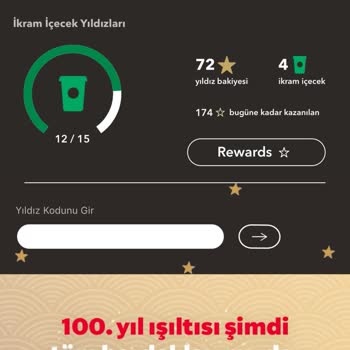
Dear Starbucks Customer Service, My name is Onur Gum**, and I am a Starbucks customer from Istanbul, Türkiye. I would li...ke to inform you about an issue I am experiencing with the Starbucks mobile app. For the past few days, I have been attempting to add my credit card to the Starbucks mobile app, bu