Century Games charged me twice for in-game items, how can I request a refund properly?
92 Views
First, look at your payment provider's buy history (App Store, Google Play, or another platform) to make sure that both charges are real.
Write down the transaction IDs, dates, and exact amounts. A lot of the time, the site handles refunds, especially for mobile games.
If you want a refund, go to https://centurygames.com or email [email protected] with clear information, like your player ID, the name of the game, a statement of the problem, and proof of both purchases.
To back up your claim, include photos of your receipts or payment confirmations.
If you bought the item from Apple or Google Play, you can also get a return through their customer service pages (reportaproblem.apple.com or the Google Play help page).
Check your email often for an answer from Century Games. It may take a few days.
If the issue persists, share your experience and consider filing a complaint on Xolvie to make a difference.
I have been playing the game Whiteout Survival for 1.5 years. On April 1st, a friend of mine, who doesn't know the game,... accidentally purchased a package. I immediately requested a refund. Around the same time, I received a message from Century Games customer service advising me to report the situat
I purchased two packages in White Out Survival, but my card was charged for four packages. After disputing the extra cha...rges, two refunds were issued, but my account was then banned. I later discovered this has happened to other players as well. The system often displays error codes when trying to
I’ve been trying to resolve an issue with Century Games for the past 2 months, but their customer service in Turkey has ...been completely unhelpful. Despite following their instructions multiple times, they still haven’t fixed the problem. This has caused me extreme frustration, and to make matters wo
My daughter accidentally purchased a package in Whiteout Survival by Century Games, so I requested a refund. Not only wa...s the refund denied, but my account was restricted as a result. When I previously spent money in the game, there were no issues, but now, due to an accidental purchase, my account
I am absolutely furious with Century Games. Without my knowledge or consent, they withdrew approximately ₺2,500 from my ...account for an in-game package I never approved or purchased. This is completely unacceptable. I’ve been trying to get help for three days now with zero resolution. I feel like I’v
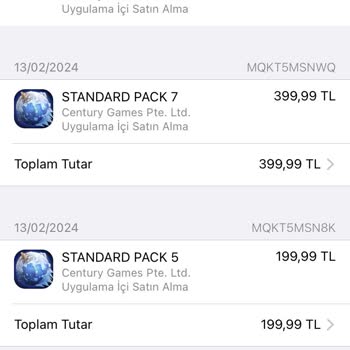
I bought items from Century Games' Whiteout Survival, but despite the payment being deducted from my credit card, the it...ems have not been credited to my account. I reported the issue to customer support and even emailed screenshots as evidence. However, the response I received only confirmed the pur
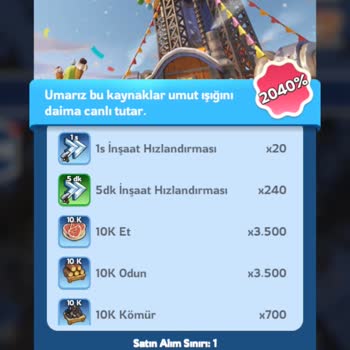
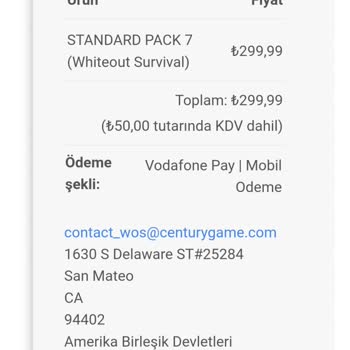
Hello, I have a 10 year old daughter with autism. cannot read and write. She made purchases in Whiteout Survival without... my knowledge and I have no financial situation. I am earthquake victim. I was affected by the earthquake in Turkey. My financial situation is very bad.I contacted Google and they