Stardoll Launcher Crashes on Windows and Prevents Me From Playing

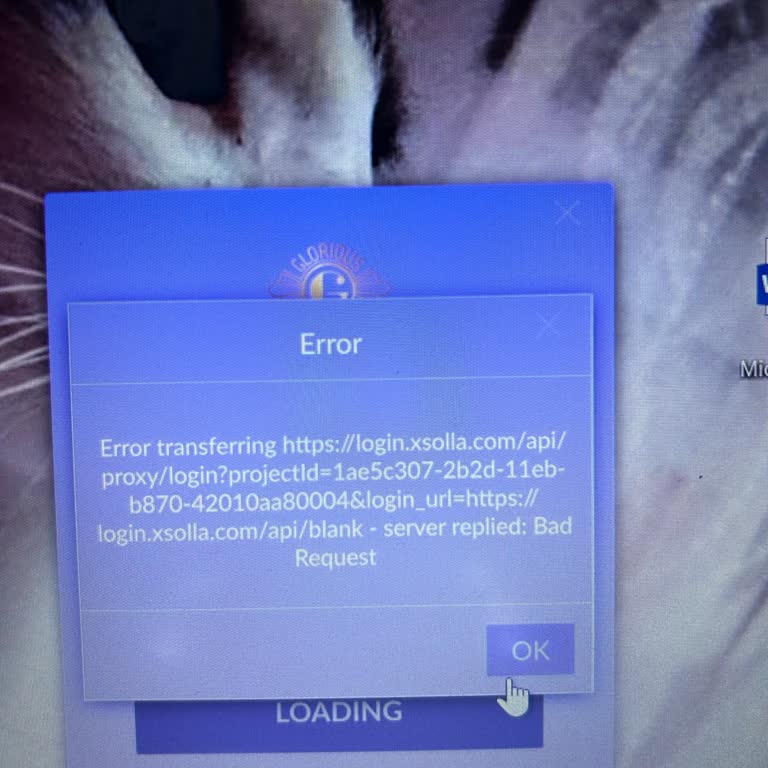
For approximately 9–10 years, almost my entire childhood, I have happily played Stardoll. However, I can no longer log into the game through the launcher on Windows. I use a Lenovo Ideapad laptop, and for a long time I was able to access the game through the Stardoll Launcher without any issues. However, for the past few months, whenever I click the “Play” button in the launcher, I receive an error saying “Crash report / a problem has caused your program to close…” and the game shuts down.
I completely uninstalled and reinstalled the game on my computer, and my friends also tried to help by testing different solutions on their own computers and settings, but the issue has not been resolved in any way. My computer also has enough storage space to run the game without problems. I contacted other players experiencing the same error and tried all of the solutions they suggested one by one, but nothing worked. From what I can see, this is not only affecting me but appears to be a general launcher-related issue, and some users have even had to delete the game completely because of it.
I explained my issue in detail and submitted a report through the Crash Report window in the launcher, but I have not received any response regarding these reports. I can log into my account through Google, but that version is extremely limited and makes the game almost impossible to play. In other words, although I technically have access to my account, I cannot play Stardoll normally in the way I am used to.
I believe this issue is not a technical problem that users can solve on their own, but rather a launcher-side problem that requires your team’s intervention. I have enjoyed playing Stardoll since I was a child and do not want to stop playing, but if this situation continues, I will unfortunately be forced to leave the game. I kindly request that your technical team investigate and fix the launcher error, restore my ability to access the game through the Windows launcher without issues, and provide me with a response that includes a solution.
I hope this complaint also demonstrates my long-term dedication to the game and helps lead to the necessary improvements being made.