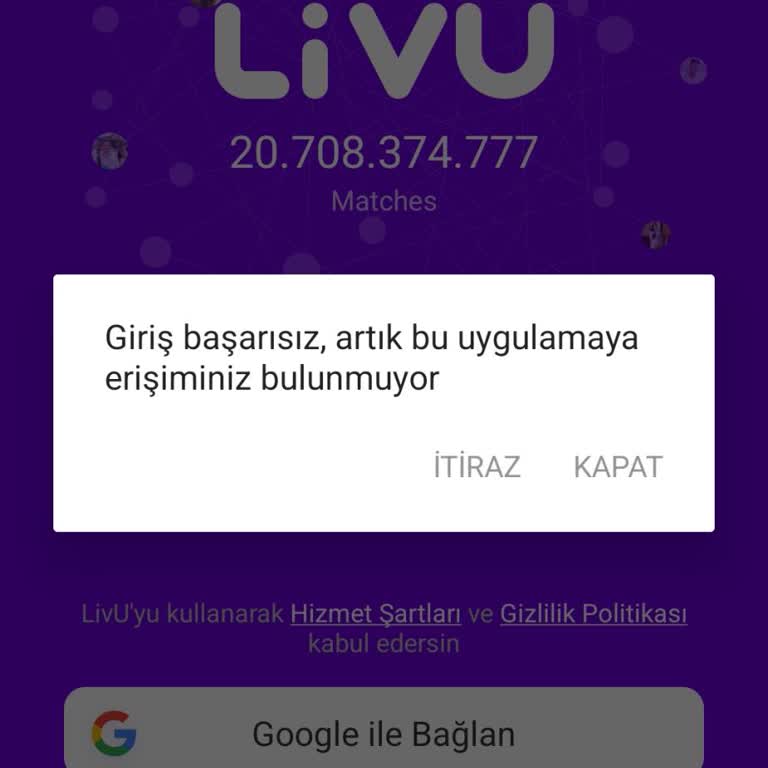
My LivU account was permanently banned without warning, what steps actually work to get it reviewed?
12 Views
If your LivU account was permanently banned without warning and you want the ban reviewed;
Confirm the ban and gather evidence;
• Check the exact ban message shown in the app
• Note the date and time the ban happened
• Check your email (including spam) for any warning or violation notice
• Take screenshots of the ban screen and your user ID/profile
Contact LivU Support;
• State clearly that your account was permanently banned without prior warning
• Provide your LivU user ID, registered email/phone, and device type
• Mention that you did not receive any warnings before the ban
• Ask which specific policy you allegedly violated
• Attach screenshots of the ban message and your profile
Ask them to;
• Conduct a manual review of your account and chat history
• Explain the exact reason for the permanent ban
• Restore your account if the ban was made in error
• At minimum, allow you to appeal or recover access/data
If the ban is not reviewed or explained properly, share your experience and consider filing a complaint on Xolvie to seek visibility and a fair resolution.
On January 31, 2026, at around 5:30 PM, my Livu account was suddenly closed without any warning or explanation. When I t...ry to log in, I receive a message saying, “Information could not be retrieved, please log in again,” and I am unable to access my account. At the time my account was closed, I had
I have had LivU for years and I want to lift the ban on my number 05466686***. Why was my account banned? Please help me... with this issue related to the app. I have many friends on it, and I have big hopes and ambitions for using it. I kindly ask you to remove the ban on my number so I can communicat
I’m beyond frustrated with Livu right now. Without any warning or explanation, my account got banned and I was completel...y locked out of the app. I didn’t do anything wrong—no violations, no misconduct, nothing. One minute I was using Livu, and the next I couldn’t even log in. This is incredibly unfa