I want to redeem my points on LifePoints, but it won’t let me — how can I fix this?
60 Views
1 Comment4 Complaint
When LifePoints doesn’t let you redeem your points, the best way is to check your eligibility and submit an official request if everything seems correct. Here’s a practical guide:
• Confirm your balance and eligibility: Go to https://app.lifepointspanel.com → Rewards → Redeem. If the button isn’t active, check that you meet the minimum points requirement (usually 600 LP) and that your payment method or country is eligible.
• Check your payment method: Make sure your PayPal account or chosen payment option is properly linked and active. If PayPal is under review or restricted, LifePoints may temporarily block redemptions.
If you’re experiencing the same problem, consider sharing your experience on Xolvie, where you can document your case and learn how others resolved similar issues.
I have been having a payout problem with Lifepoints for more than 15 days and I still do not have a clear answer about i...t. My payout through the gift card option was rejected and since then I am not able to redeem my rewards or reach the minimum LP payout properly. I am being completely honest that
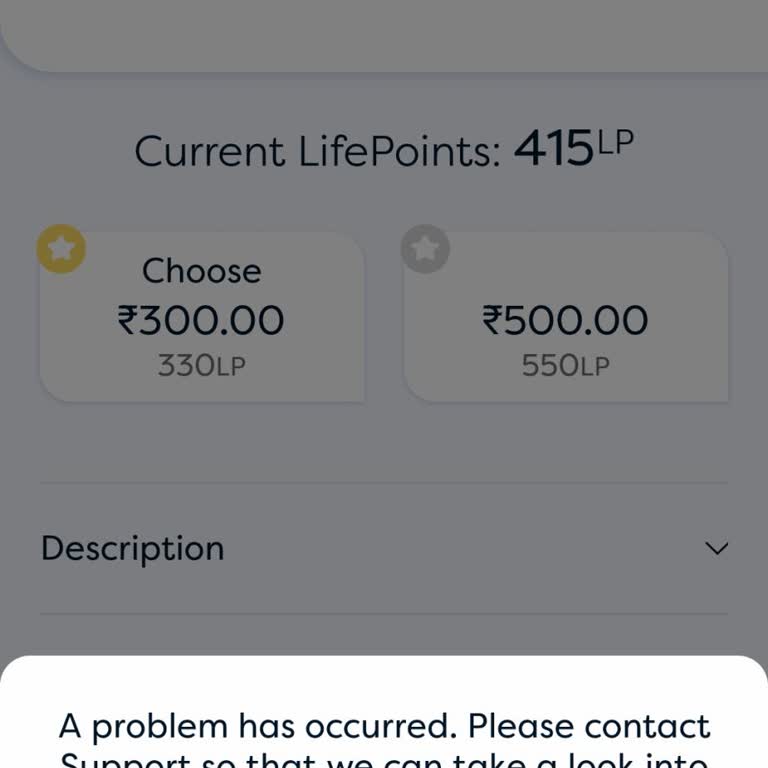
I am writing to report a problem I experienced today, 1 September, with my Lifepoints account regarding a rejected casho...ut and a missing payout. I attempted to redeem my Lifepoints balance as an Amazon gift card, but the app showed an error message saying that a problem had occurred and that I shoul
I am a Lifepoints user from South Africa, and I am experiencing a problem with the payout reward options. I currently ha...ve 613 Lifepoints and wanted to redeem them, but the only option shown to me is a Takealot gift card for 250 ZAR that requires 27,500 Lifepoints, which is obviously far more than t
LifePoints is a survey platform that should absolutely not be trusted. Don’t waste your time completing endless surveys ...for nothing. When it comes time to receive payment or redeem a gift card, they make it extremely difficult and never actually deliver the reward. I strongly recommend canceling yo





1 Comment