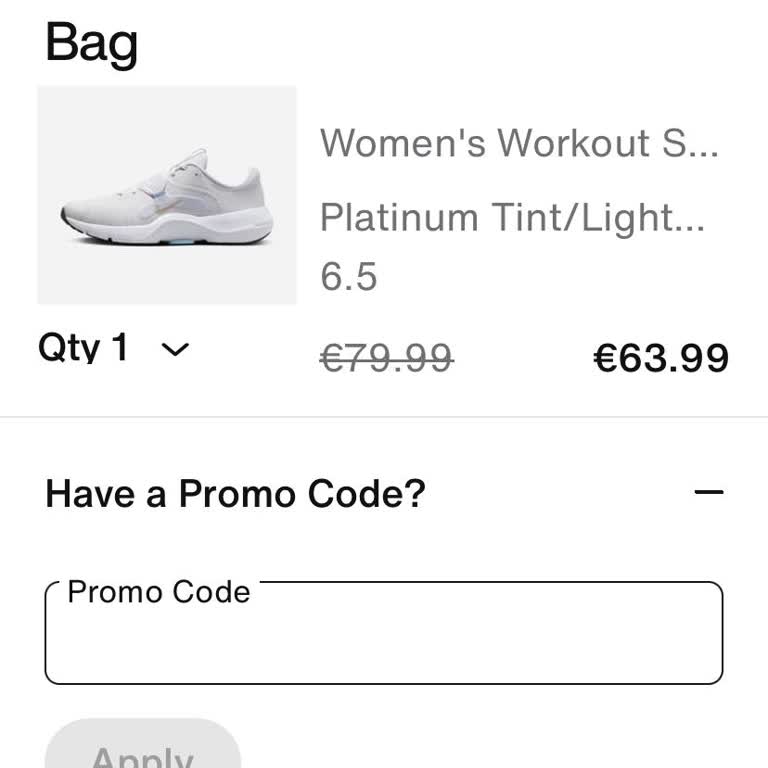
I received a Nike gift card, but when I try to use it during checkout on the website, it's not being accepted. What should I do?
1.833 Views
There are a few common mistakes and fixes to look for if your Nike gift card won't work when you try to check out on the website:
If you get an "Invalid Code" error, it means that you entered the wrong information. You should make sure that you entered the code correctly by looking for mistakes like missing letters or numbers. It's important to enter the code and not the serial number. Read the redemption instructions very carefully and enter the right information.
If you see a "Not Activated" error, it means that your gift card might not have been activated correctly. Like turning on a switch, all gift cards need to be activated after they are bought. To fix this, you can return the gift card to the store where you bought it and ask them to activate it. Another option is to call Nike's customer service for help activating the card.
Also, make sure you only buy things that are eligible with the gift card. There are some things that Nike gift cards can't be used for on the Nike website. For example, you can't use them to buy other gift cards, or gift boxes, or pay for shipping and handling. Make sure that the items you want to buy can be paid for with the gift card. Should the problem persist, you should get in touch with Nike's customer service for more information and help redeem your gift card.
You can make your concerns known by sharing your complaint on our website, and the best part is that it's free for everyone to view and offer their comments!
I have a Nike gift card worth €20 but I couldn't use it at checkout. There is no space provided to enter the gift card c...ode and pin. The space provided was for a promotional code and I tried to input the gift card code in the space provided for the promotional code but it didn't work and I couldn't